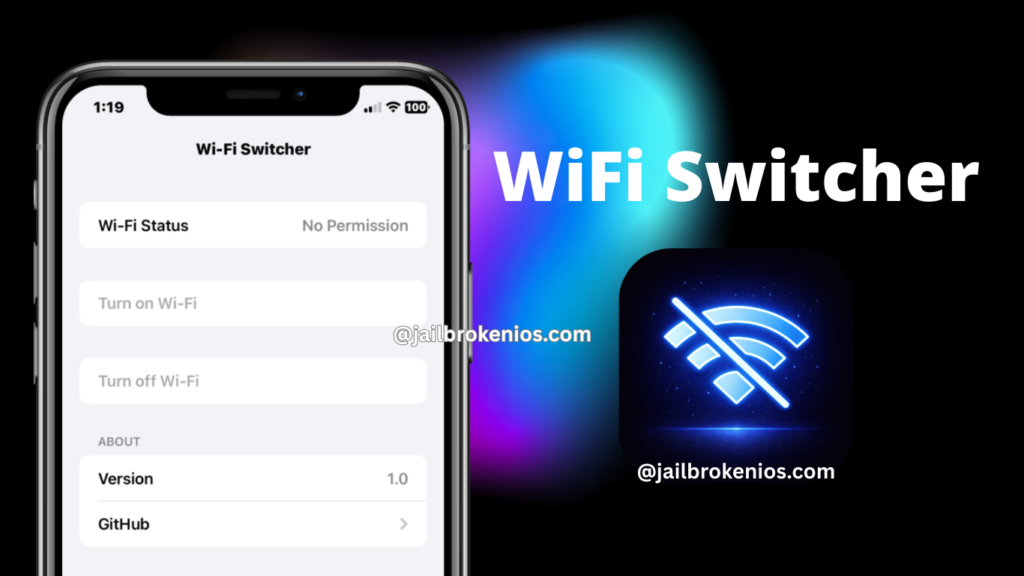
Wifi Switcher iOS is a powerful utility that helps iOS users fix missing iOS features and save time. The app’s key features include a quick one-tap Wi-Fi on/off toggle in the 3D Touch quick menu. This small, quick, and clean menu will fix most iOS time-wasting traditional methods.
The Wifi Switcher iOS is a fully open-source project that only works with the TrollStore. So if you are a developer, you can also contribute to the project.
This app is not working after sideloading with traditional sideloading apps like Esign, K-Sign, or Zee Signer because it lacks the system entitlements needed to switch it on or off.
In the TrollStore environment, it grants a WifiSwitcher iOS app special permission to perform real wifi toggles.
Download WiFi Switcher iOS IPA
Latest version: v1.0
Download WiFi Switcher iOS IPA
Note* If you don’t have an pc to install this app, you can use Zee Online Zigner service for one-click installation – info.zeejb@gmail.com
How to Install WiFi Switcher IPA with Sideloadly
Step 1: Download and install the latest version of Sideloadly for Windows or macOS on your PC.
Step 2: Download the WiFi Switcher IPA file from this page and save it to your computer.
Step 3: Connect the iOS device to the computer using a USB cable.
Step 4: Open the Sideloadly application on the PC.
If prompted to install the Mail Plug-in, select “Yes” to proceed.
Enter the Apple ID email address in the “Apple account” field.
Step 5: Drag and drop the WiFi Switcher IPA file into the IPA field located on the left side of the interface, indicated by an IPA icon.
Step 6: Click the “Start” button to initiate sideloading and installation of the IPA.
When prompted, enter the Apple ID password. The tool uses this information to sideload the app. It is recommended to use a burner account.
Step 7: Sideloadly will begin installing the WiFi Switcher IPA on the iOS device.
Step 8: After installation, the app cannot be opened immediately. First-time users of Sideloadly must verify their Apple ID profile by navigating to Settings > General > Device Management, selecting the Apple ID, and tapping the Trust button twice to confirm.
Step 9: Navigate to the Home screen and open the installed app.
Other methods to install the WiFi Switcher iOS IPA.
TrollStore
TrollStore is a permasigned jailbroken application capable of permanently installing any IPA installer, supporting iOS versions 14.0 through 17.0. It uses AMFI/CoreTrust to verify that the root certificate used to sign the app remains valid and is not revoked.
TrollStore IPA installer >>
eSign
eSign is a free mobile IPA signature tool for iOS that enables signing apps with user certificates and installing them on iPhone or iPad devices. It functions as a sideloading alternative supporting iOS versions 11 through 17.x, allowing IPA file installation without a computer.
e-Sing IPA Signer >>
Scarlet
Scarlet is installed via this tool and permits adding jailbroken repositories and installing IPA files without requiring a jailbreak. It supports iOS versions 11 through 17 and higher.r.
Scarlet IPA Installer >>
Compatibility iOS & iPadOS
- iOS 17.0
- iOS 16.6, iOS 16.5.1, iOS 16.5, iOS 16.4.1, iOS 16.4, iOS 16.3.1, iOS 16.3, iOS 16.1, iOS 16.0.3, iOS 16.0.2, iOS 16.0
- iOS 15.6.1, iOS 15.6, iOS 15.5, iOS 15.4.1, iOS 15.4 , iOS 15.3.1, iOS 15.3, iOS 15.2.1. iOS 15.2, iOS 15.1.1, iOS 15.1
- iOS 15.0.2 , iOS 15.0.1, iOS 15.0
- iOS 14.8 , iOS 14.7.1, iOS 14.7, iOS 14.6, iOS 14.5.1, iOS 14.5, iOS 14.4.2, iOS 14.4.1, iOS 14.4, iOS 14.3, iOS 14.2.1
- iOS 14.2, iOS 14.2, iOS 14.1, iOS 14.0
Compatibility Devices
iPhone 14, iPhone 14 Plus, iPhone 14 Pro, iPhone 14 Pro Max, iPhone 13, iPhone 13 Mini, iPhone 13 Pro, iPhone 13 Pro Max, iPhone 12, iPhone 12 Mini, iPhone 12 Pro, and iPhone 12 Pro Max, iPhone 11 Pro Max, iPhone 11 Pro, iPhone 11, iPhone Xs, iPhone Xs Max, iPhone XR, iPhone X, iPhone 8, iPhone 8 Plus, Phone 7 & 7 Plus, iPhone 6S & 6S Plus, iPhone 6 & 6 Plus, iPhone SE
Leave a Reply