FilzaEscapedDS is a powerful file manager for iOS/iPadOS 17.0-26.0.1 (except 18.7.2-18.7.7). It allows users to access and manage the iOS System files, change the homescreen background, customize, and install IPAs without a full jailbreak.
What is FilzaEscapedDS FilzaJailedDS?
FilzaEscapedDS / FilzaJailedDS is an iOS root file browsing app that allows users to modify the iOS system, tweak injection, import/export media, and manage applications.
Filza Jailed Darksword, support iOS 17.0-26.0.1 (except 18.7.2-18.7.7). This repo opens up the tweak injection into the Filza iPA (4.0.0 and back, 4.0.2 seems to crash something)
About iPhone 17 series and iPad M5: IT WON’T WORK because of MTE. Starting from iPhone 17 and M5 chip, Apple added MTE to block anyone trying to access krw, so it will not work (at least atm, hoping someone actually does a bypass for MTE 😉)
Key features and functionalities of FilzaEscapedDS as a file manager
FilzaEscapedDS is a powerful file manager for iOS devices, offering access to system files, direct editing of text and code, and modification of app bundles, giving users complete control over their device’s filesystem.
Additionally, it supports various file operations, including copying, moving, and deleting files, and seamlessly manages iCloud and local storage, making it an indispensable tool for advanced users.
Download FilzaEscapedDS / FilzaJailedDS
Support all iOS/iPadOS from iOS 17.0-18.7.1 and 26.0-26.0.1 (Note that on iOS 26, the iPhone 17 series has an MTE restriction, so it will panic your device instantly if you open this app)
Filza Jailed / FilzaEscapedDS Darksword, support iOS 17.0-26.0.1. This repo opens up the tweak injection into the Filza iPA (4.0.0 and back, 4.0.2 seems to crash something)
How to install FilzaJailedDS?
You can install FilzaJailedDS with several methods, whether your device is jailbroken or non-jailbroken. Follow the guides below carefully.
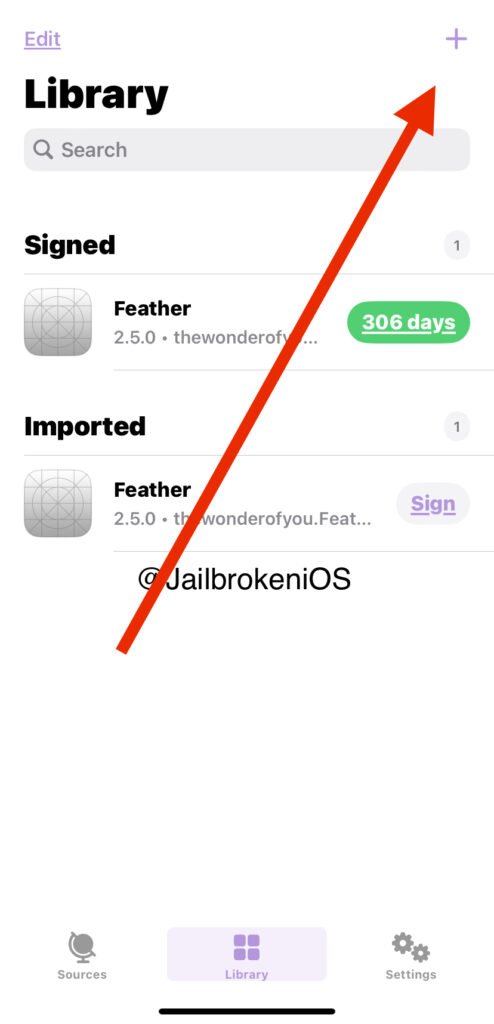
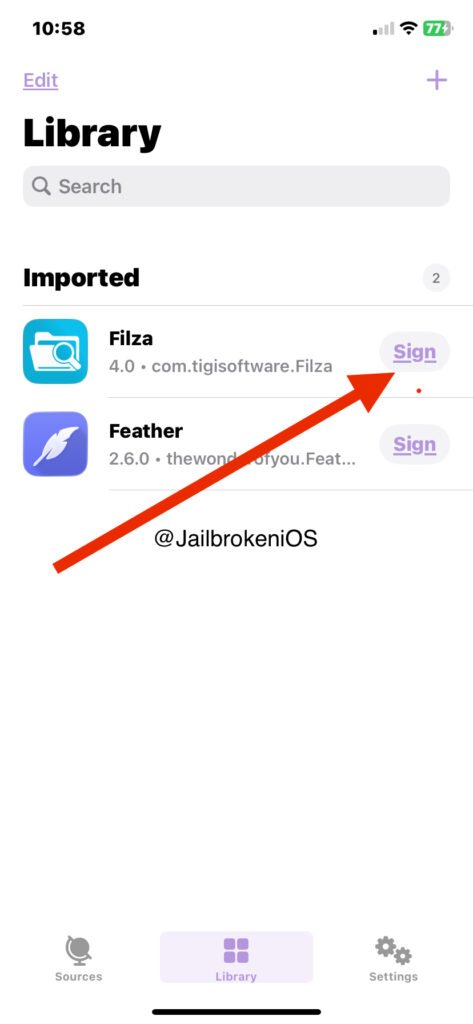
FilzaEscapedDS / FilzaJailedDS Install via FeatheriOS
FilzaJailedDS is compatible with iOS 26.0-26.0.1 & iOS 17.0-26.0.1 (except 18.7.2-18.7.7).
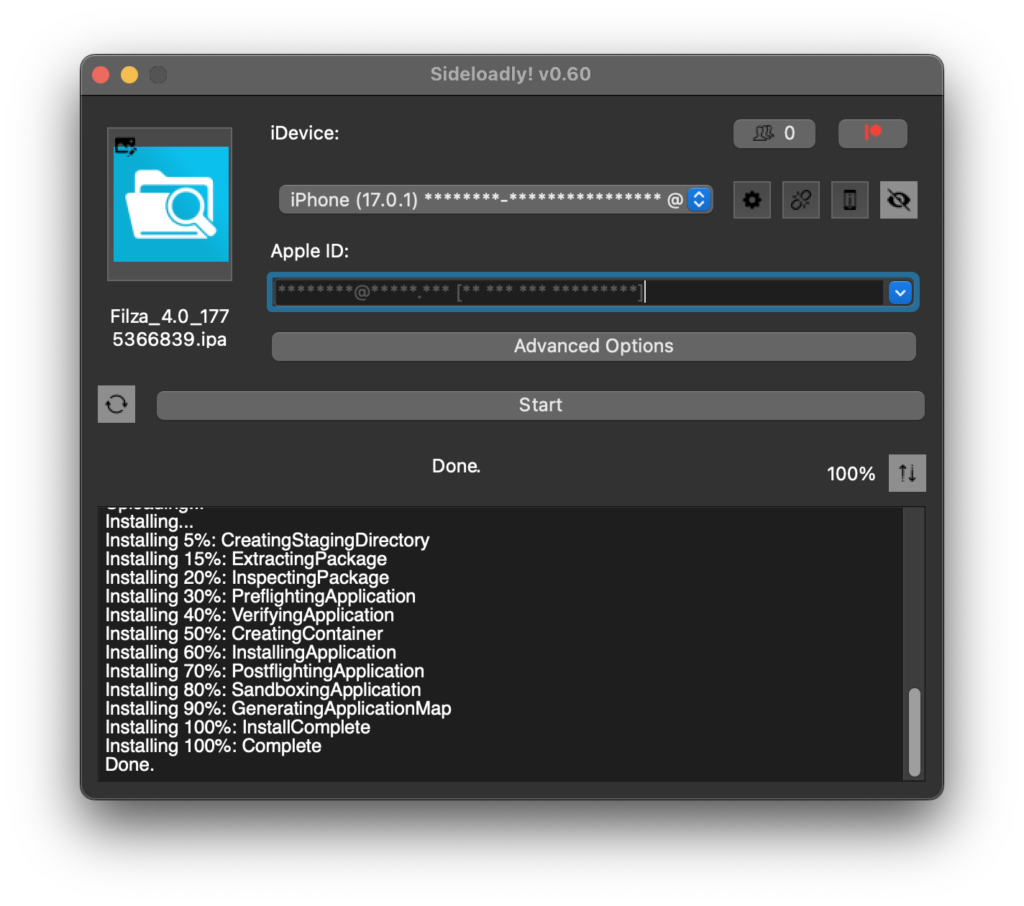
Step 02: Connect the iDevice to the PC / Mac using the lightning cable
Step 03: Drag & Drop FilzaJailedDS IPA into Sideloadly & Tap the Install button.
Step 04:Sideloadly will upload & Install the signed iPA file on your iDevice automatically
Once you sideload the FilzaEscapedDS/FilzaJailedDS app, it will appear on your iDevice home screen. Enjoy 😉
If you encounter any issues, please comment below. Also, follow the Developer @ X – https://x.com/Little_34306/
Filza Jailed vs. Filza Escaped
Filza Jailed and Filza Escaped are key jailbreak tools in the iOS community. Filza Jailed is working within Stock iOS Environments, which means allowing users to access system files without altering the device’s security.
Filza Escaped provides deeper access by running on a jailbroken device, granting unrestricted control over the file system. So users feel more customization and advanced modifications than with Filza Jailed.
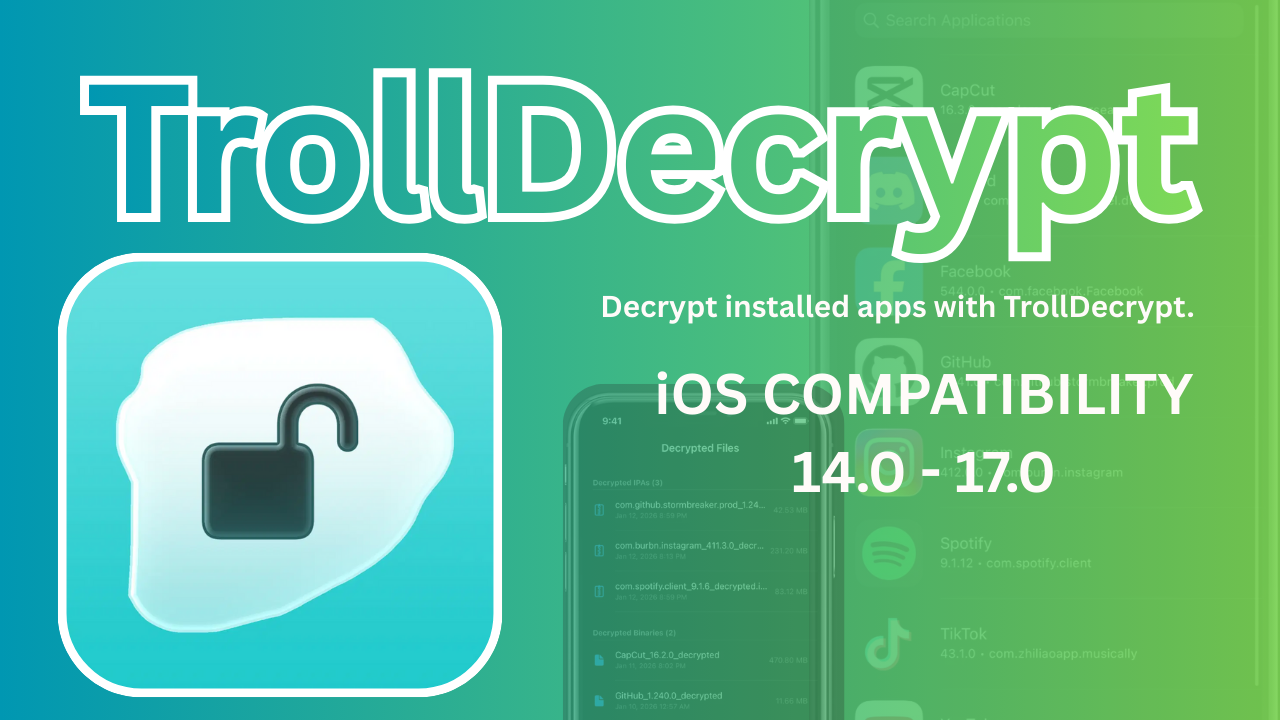
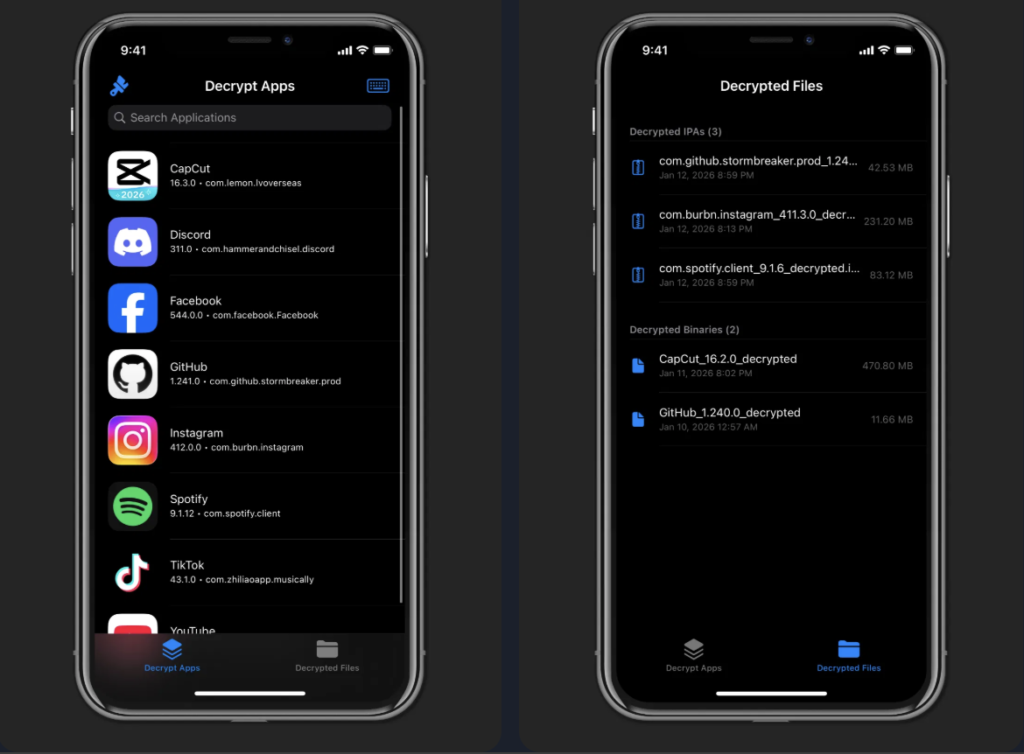
TrollDecrypt is a tool developed by iOS developer Donato-Fiore that decrypts .ipa files using TrollStore 2-compatible firmware. It allows users to extract decrypted .ipa files from apps installed via TrollStore, enabling sideloading on unsupported devices.
After decryption, the .ipa can be installed using tools like Sideloadly with forced installation parameters. This tool is particularly useful for developers and enthusiasts managing jailbreak-free app installations on iOS devices. Always ensure compliance with local laws and Apple’s terms of service when using such tools.
iOS 15.8.2 (if released — various security releases existed in this series)
iOS 16.x
iOS 16.0
iOS 16.0.1
iOS 16.1
iOS 16.1.1
iOS 16.1.2
iOS 16.2
iOS 16.3
iOS 16.3.1
iOS 16.4
iOS 16.4.1
iOS 16.5
iOS 16.5.1
iOS 16.6
iOS 16.6.1
iOS 16.7
iOS 16.7.1
iOS 17.x
iOS 17.0
TrollDecrypt Core Features
App Decryption: Strips the Apple FairPlay DRM (Digital Rights Management) from installed App Store applications.
TrollStore Native Support: Operates as a “TrollStore app,” meaning it uses specialized entitlements to perform system-level tasks without needing a full jailbreak on supported versions.
IPA Generation: Automatically bundles the decrypted binary and its resources back into a standard .ipa file format for easy export.
Simplicity: Typically features a straightforward user interface (UI) that lets users select an installed app from a list to begin the decryption process.
Cross-Platform Variants: While primarily for iOS, there is also a TrollDecrypt-tvOS variant designed for decrypting apps on Apple TV.
Sharing Integration: Includes functionality to share or export the final decrypted file via the standard iOS share sheet or via AirDrop.
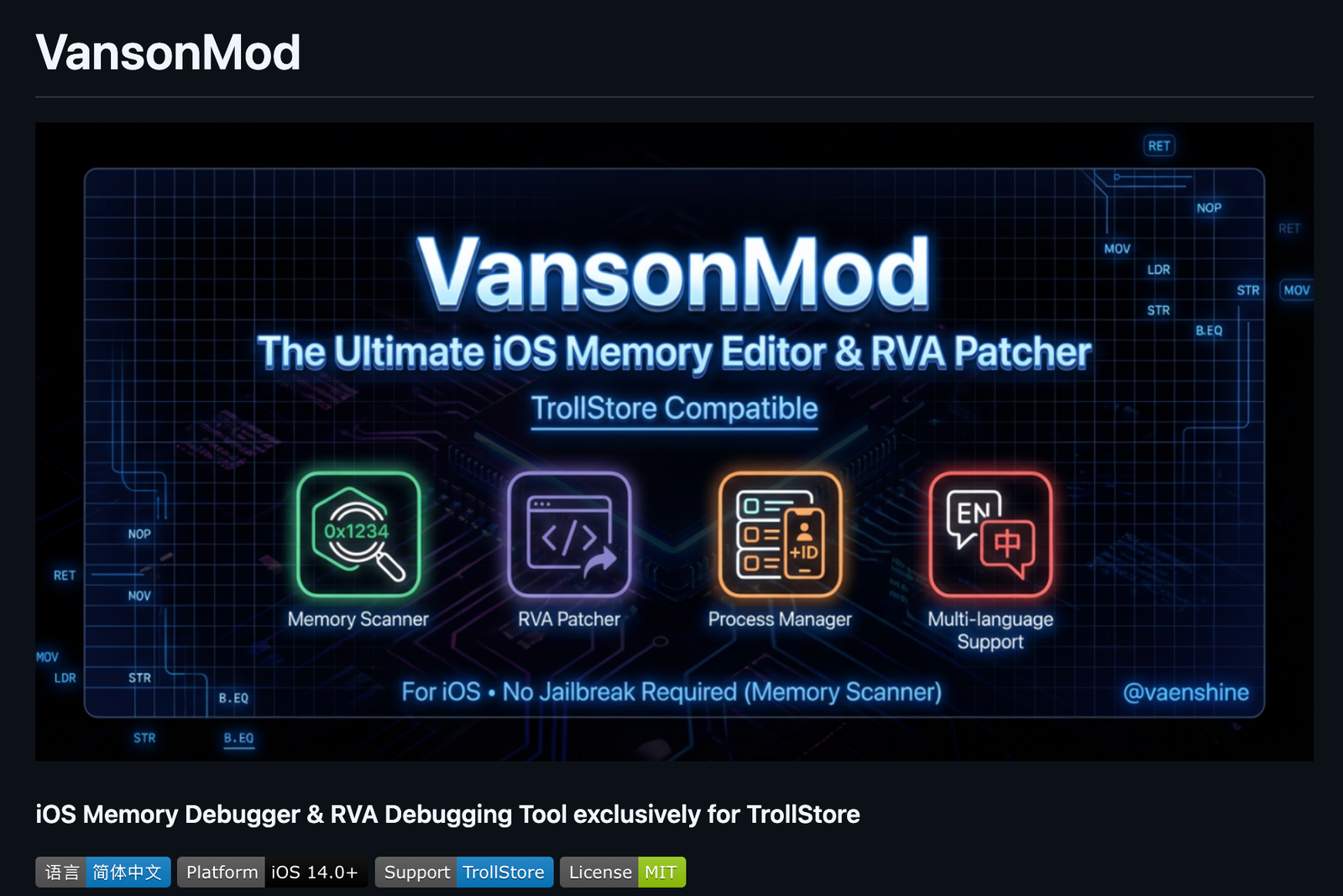
VansonMod: OS memory editor, iOS pointer analysis, RVA patcher, and process manager for TrollStore (jailbreak optional). Supports hex editing, value scanning, and backup/restore.
VansonMod is an independent Root Helper tool designed exclusively for the TrollStore environment.
Unlike traditional jailbreak tweaks, it runs externally using Mach kernel APIs without code injection, enabling memory debugging features to work without a jailbroken environment. It integrates a powerful memory debugger, an app archive manager, an intelligent process manager, a professional Hex editor, and a comprehensive cross-process RVA debugging suite for jailbroken users. Fully compatible with all iOS device sizes and natively supporting iPad split-screen, it features a consolidated layout and optimized interaction design, delivering top-tier debugging efficiency and stability as a professional iOS app debugging tool.
- 工具箱新增脚本功能,兼容H5GG语法。准备了很多Bug等你来测。
- 指针搜索速度还能卷:大幅提高指针搜索速度与准确性
- 工具箱某些tab,批量选择增加了复制,可能有的地方有用吧?
- 修复IOS14导入vm文件异常的问题
- 修复指针验证tab导入问题
- 其他修复...
------------------------
- Toolbox adds a new script feature, compatible with H5GG syntax. Plenty of bugs are waiting for your testing.
- Pointer search speed can still be optimized: Significantly improved the speed and accuracy of pointer search.
- For certain tabs in the Toolbox, a copy function has been added to batch selection. Might come in handy somewhere, perhaps?
- Fixed the issue of abnormal import of vm files on iOS 14.
- Fixed the import issue of the pointer verification tab.
- Other fixes...
VansonMod ⚠️ Compatibility Notes
Memory Debugging / Full Pointer Features / Archive Management / iPad Split-Screen / Icon Customization: ✅ Supported on all devices (including non-jailbroken TrollStore users).
RVA Patcher (Assembly Debugging) / RVA Debug Record Management: ⚠️ Requires a jailbroken environment (e.g., Dopamine, Palera1n) to function properly.
Reason: On non-jailbroken devices, the system AMFI mechanism strictly enforces code signature verification. Direct modification of the executable text segment (__TEXT) will cause the target app to crash immediately.
VansonMod Device Compatibility:
VansonMod is supported on all devices (including non-jailbroken TrollStore users). This means if your device is compatible with TrollStore and it is non Jailbroken so you are good to go.
iOS 14.x
iOS 14.0
iOS 14.0.1
iOS 14.1
iOS 14.2
iOS 14.3
iOS 14.4
iOS 14.5
iOS 14.6
iOS 14.7
iOS 14.8
iOS 14.8.1
iOS 15.x
iOS 15.0
iOS 15.0.1
iOS 15.1
iOS 15.1.1
iOS 15.2
iOS 15.2.1
iOS 15.3
iOS 15.3.1
iOS 15.4
iOS 15.4.1
iOS 15.5
iOS 15.6
iOS 15.6.1
iOS 15.7
iOS 15.7.1
iOS 15.8
iOS 15.8.1
iOS 15.8.2 (if released — various security releases existed in this series)
iOS 16.x
iOS 16.0
iOS 16.0.1
iOS 16.1
iOS 16.1.1
iOS 16.1.2
iOS 16.2
iOS 16.3
iOS 16.3.1
iOS 16.4
iOS 16.4.1
iOS 16.5
iOS 16.5.1
iOS 16.6
iOS 16.6.1
iOS 16.7
iOS 16.7.1
iOS 17.x
iOS 17.0 (only)
Read More:
iOS
How to install VansonMod?
To install VansonMod follow the below step by step guide:
This can also be used for non-jailbroken (TrollStore) Users. If your device is Jailbroken and you can try with regular iOS iPA sideloaders, like Ksign Patch, Esign Patch, Feather, or Sideloadly(PC App)
If your device is on iOS 15 – iOS 16 You can use the Dopamine Jailbreak tool.
Step 01: Install TrollStore iOS app
Step 02: Download VansonMod.Tipa file
Step 03: Open dwonloaded VansonMod.Tipa File in to TrollStore
Step 04: Open VansonMod using your device Homescreen
VansonMod Core Features
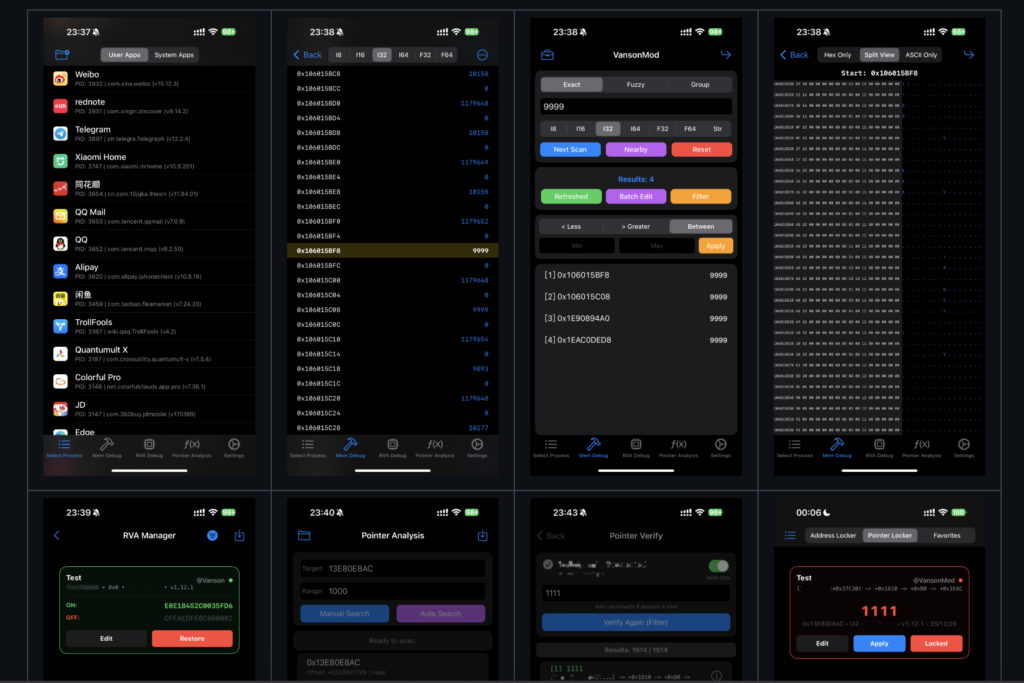
Pointer Debugging
Supports both manual and automatic pointer search modes, paired with an exclusive pointer verification feature to accurately validate pointer validity.
Enables one-click import/export of pointer addresses, allowing debugging results to be reused across devices.
Offers exclusive pointer configuration switches, supporting manual fine-tuning of automatic search rules to meet the in-depth debugging needs of advanced users.
Combines pointer locking, memory locking, and favorites into a single tab page for one-click access to core pointer operations.
The pointer verification main interface features a data type selector (covering types from I8 to F64).
After successful pointer verification, silent saving is supported, which automatically filters valid pointers and saves them as a new pointer verification file.
Memory Debugger
Covers multiple search modes including exact, fuzzy, joint (high-performance ordered), and hybrid (secondary filtering) to optimize retrieval efficiency.
Supports precise numerical filtering with three modes: greater than, less than, and range filtering, for accurate positioning of target memory data.
Offers adjacent search, which scans nearby memory data based on existing results and automatically removes duplicates to quickly associate relevant addresses.
Enables batch debugging with features including select all/range selection modification, fixed value/incremental modification, numerical locking, and infinite scrolling memory browsing; also supports batch locking, batch favoriting, and batch deletion.
Allows custom Float Tolerance to adapt to parameter requirements of various debugging scenarios.
Enhances fuzzy search with options such as “Value has increased by…” and “Value has decreased by…”, where specific changed values can be entered.
Process and Application Management
Supports intelligent filtering, automatically identifying user and TrollStore applications, hiding system processes, and enabling quick filtering by name/BundleID/PID.
Offers multi-language adaptation, intelligently displaying the localized App name and showing the application version number.
The APP management entry is migrated to the top of the process management interface for centralized core operations.
Application Archive Management
Enables one-click backup/restore, fully backing up the Documents/Library directories, supporting multiple archives, and automatically terminating the target process for immediate effect after restoration.
Natively integrates with the system “Files” App, allowing direct management of backup file import and export, as well as unified global backup viewing and zombie archive cleanup.
Cross-Process RVA Debugging Suite (Jailbreak Required)
Supports real-time debugging: entering Offset and Hex automatically patches running code, automatically handles memory permissions, and has built-in presets for commonly used instructions.
Includes an RVA debugging record management module, enabling one-click saving, quick import/export of debugging records, and batch management of multiple records.
Fixes the deletion function and resolves the issue of data duplicate stacking caused by pull-to-refresh.
Hex Editor
Supports multi-view switching, including Hex/ASCII synchronous split screen, Hex-only/text-only views, with zero-margin visual alignment to adapt to different debugging habits.
Enables efficient editing with features including line editing, quick address jump, and synchronous scrolling.
Personalization and Experience Optimization
Supports icon customization with a variety of APP icons for users to switch freely.
Offers theme adaptation with three theme modes: follow system/light/dark.
Natively adapts to iPad split screen, supporting automatic screen rotation and Stage Manager mode.
Enables landscape operation, unlocking App rotation restrictions to adapt to iPad/iPhone landscape orientation; switching back to VM in landscape mode maintains landscape display.
The world of iOS jailbreaking has grown exponentially, drawing the attention of tech enthusiasts and casual users alike. Jailbreaking allows users to unlock custom features and applications that aren’t typically accessible on standard iOS devices. While many celebrate the freedom it brings, it’s essential to remain informed about both the benefits and risks associated with jailbreaking your iPhone.
Latest Jailbreak Tools and Solutions
In recent months, several innovative jailbreak tools have emerged, each with unique capabilities. Tools like Unc0ver and Checkra1n have gained popularity for their ease of use and reliability. By keeping an eye on updates from these tools, users can ensure they have the latest features and security patches. It’s crucial to follow reliable sources for the newest jailbreak methods, as the landscape is constantly evolving.
Risks and Considerations of Jailbreaking
Despite the allure of enhanced customization, jailbreaking comes with a series of risks. It can void your warranty, expose your device to malware, and hinder system updates. Users should weigh these consequences against the potential benefits. Engaging in jailbreaking requires diligence, including backing up your device and understanding what to expect after the process.
To conclude, exploring the realm of jailbreaking can be rewarding for tech-savvy individuals, but it demands a careful approach. Staying informed about the latest tools and understanding the associated risks is vital for making educated decisions. The pursuit of freedom in technology is enticing; just ensure that it’s managed wisely.
Jailbreaking refers to the process of removing software restrictions imposed by iOS on Apple devices. It allows users to gain root access to the file system and customize their devices far beyond the capabilities offered by Apple. This can lead to enhanced user experiences through personalization, as well as improved functionality by allowing the installation of third-party applications.
Popular Jailbreak Tools
There are several popular tools for jailbreaking iOS devices. Among the most commonly used are unc0ver, checkra1n, and Taurine. Each of these tools has its unique features and is compatible with different versions of iOS. For instance, checkra1n is known for its semi-tethered jailbreak functionality, which means users can reboot their device without losing their jailbreak, provided they use the tool again after reboots.
Solutions for Jailbroken Devices
Once you have jailbroken your iPhone, you may encounter a variety of challenges. This can include issues like network instability or app crashes. Thankfully, many solutions are available. For instance, using software like Cydia can help manage and install tweaks tailored specifically for jailbroken iOS. Additionally, community forums can provide valuable insights and troubleshooting tips to enhance your experience.
In conclusion, jailbreaking your iOS device can unlock a variety of features and customization options. With the right tools and solutions, you can enjoy a more personalized and versatile iPhone experience.