Author: info.zeejb@gmail.com

  • WiFi Switcher iOS Free 2026

    WiFi Switcher iOS Free 2026

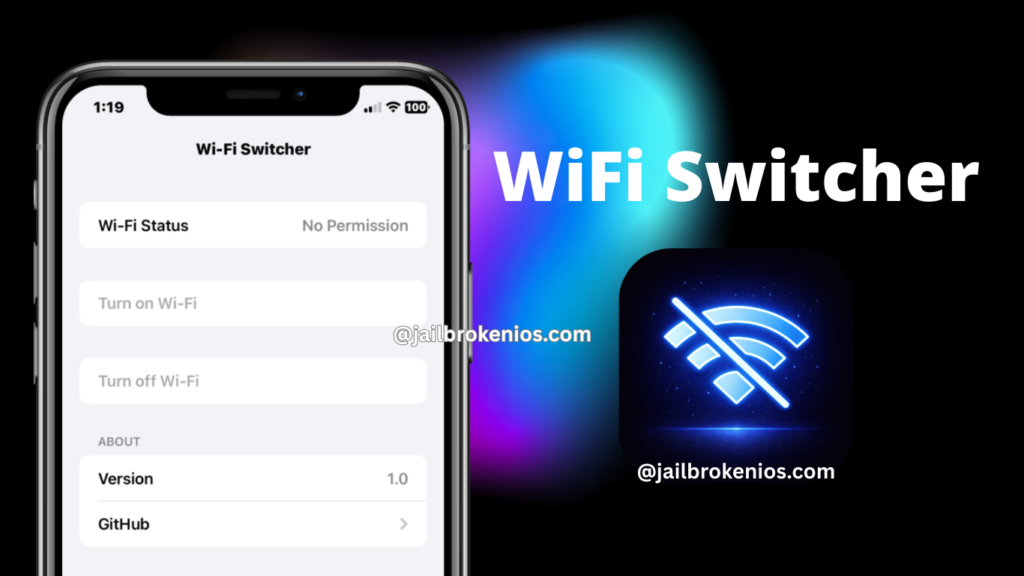
    Wifi Switcher iOS is a powerful utility that helps iOS users fix missing iOS features and save time. The app’s key features include a quick one-tap Wi-Fi on/off toggle in the 3D Touch quick menu. This small, quick, and clean menu will fix most iOS time-wasting traditional methods.

    The Wifi Switcher iOS is a fully open-source project that only works with the TrollStore. So if you are a developer, you can also contribute to the project.

    This app is not working after sideloading with traditional sideloading apps like Esign, K-Sign, or Zee Signer because it lacks the system entitlements needed to switch it on or off.

    In the TrollStore environment, it grants a WifiSwitcher iOS app special permission to perform real wifi toggles.

    Download WiFi Switcher iOS IPA

    Latest version: v1.0

    Download WiFi Switcher iOS IPA 

    Note* If you don’t have an pc to install this app, you can use Zee Online Zigner service for one-click installation – info.zeejb@gmail.com
    WiFi Switcher IPA

    How to Install WiFi Switcher IPA with Sideloadly

    Step 1: Download and install the latest version of Sideloadly for Windows or macOS on your PC.

    Step 2: Download the WiFi Switcher IPA file from this page and save it to your computer.

    Step 3: Connect the iOS device to the computer using a USB cable.

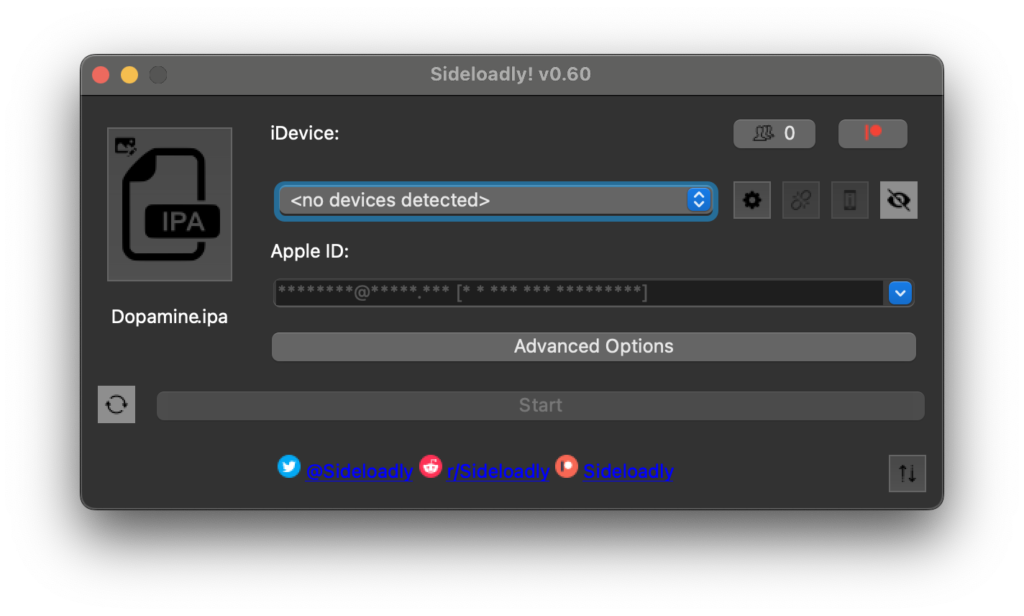
    Step 4: Open the Sideloadly application on the PC.

    If prompted to install the Mail Plug-in, select “Yes” to proceed.

    Enter the Apple ID email address in the “Apple account” field.

    Step 5: Drag and drop the WiFi Switcher IPA file into the IPA field located on the left side of the interface, indicated by an IPA icon.

    Step 6: Click the “Start” button to initiate sideloading and installation of the IPA.

    When prompted, enter the Apple ID password. The tool uses this information to sideload the app. It is recommended to use a burner account.

    Step 7: Sideloadly will begin installing the WiFi Switcher IPA on the iOS device.

    Step 8: After installation, the app cannot be opened immediately. First-time users of Sideloadly must verify their Apple ID profile by navigating to Settings > General > Device Management, selecting the Apple ID, and tapping the Trust button twice to confirm.

    Step 9: Navigate to the Home screen and open the installed app.

    Other methods to install the WiFi Switcher iOS IPA.

    TrollStore

    TrollStore is a permasigned jailbroken application capable of permanently installing any IPA installer, supporting iOS versions 14.0 through 17.0. It uses AMFI/CoreTrust to verify that the root certificate used to sign the app remains valid and is not revoked.

    TrollStore IPA installer >>

    eSign

    eSign is a free mobile IPA signature tool for iOS that enables signing apps with user certificates and installing them on iPhone or iPad devices. It functions as a sideloading alternative supporting iOS versions 11 through 17.x, allowing IPA file installation without a computer.

    e-Sing IPA Signer >>

    Scarlet

    Scarlet is installed via this tool and permits adding jailbroken repositories and installing IPA files without requiring a jailbreak. It supports iOS versions 11 through 17 and higher.r.

    Scarlet IPA Installer >>

    Compatibility iOS & iPadOS

    • iOS 17.0
    • iOS 16.6, iOS 16.5.1, iOS 16.5, iOS 16.4.1, iOS 16.4, iOS 16.3.1, iOS 16.3, iOS 16.1, iOS 16.0.3, iOS 16.0.2, iOS 16.0
    • iOS 15.6.1, iOS 15.6, iOS 15.5, iOS 15.4.1, iOS 15.4 , iOS 15.3.1, iOS 15.3, iOS 15.2.1. iOS 15.2, iOS 15.1.1, iOS 15.1
    • iOS 15.0.2 , iOS 15.0.1, iOS 15.0
    • iOS 14.8 , iOS 14.7.1, iOS 14.7, iOS 14.6, iOS 14.5.1, iOS 14.5, iOS 14.4.2, iOS 14.4.1, iOS 14.4, iOS 14.3, iOS 14.2.1
    • iOS 14.2, iOS 14.2, iOS 14.1, iOS 14.0

    Compatibility Devices

    iPhone 14, iPhone 14 Plus, iPhone 14 Pro, iPhone 14 Pro Max, iPhone 13, iPhone 13 Mini, iPhone 13 Pro, iPhone 13 Pro Max, iPhone 12, iPhone 12 Mini, iPhone 12 Pro, and iPhone 12 Pro Max, iPhone 11 Pro Max, iPhone 11 Pro, iPhone 11, iPhone Xs, iPhone Xs Max, iPhone XR, iPhone X, iPhone 8, iPhone 8 Plus, Phone 7 & 7 Plus, iPhone 6S & 6S Plus, iPhone 6 & 6 Plus, iPhone SE
  • iOS 24.6 Jailbrak

    iOS 24.6 Jailbrak

    iOS 26.4 Jailbreak Status, Tools compatibility, Alternatives, Semi Jailbreak tools, and more.

    Apple released iOS 24.6 beta to developers, introducing new features and bug fixes.

    Here’s everything added in iOS 26.4

    • Stolen Device Protection is now enabled by default for everyone
    • Wallpaper Gallery has been fully redesigned with categories + server downloads
    • Apple Watch Face Gallery gets the exact same redesign
    • Unified Apple Account hub across App Store, Music, TV & more
    • App Store Search moved into the bottom navigation bar
    • New splash screen for Apple Creator Studio on first launch
    • iCloud Settings adds iCloud.com section + Allow Search toggle
    • EU: Notification Forwarding to one third-party wearable
    • EU: Proximity Pairing for third-party accessories
    • Apple Music: Full-screen albums/playlists with dynamic artwork colors
    • Apple Music: Playlist Playground creates AI playlists from text prompts
    • Apple Music: New “Concerts Near You” section
    • Apple Music: New Music Profile with name & photo
    • Apple Music: New Ambient Music widget for Home & Lock Screen
    • Apple Podcasts: Full native video playback + offline downloads
    • Messages: End-to-end encrypted RCS (iPhone-to-iPhone)
    • Messages: New conversation launch animations
    • Reminders: New “Urgent” smart list with auto-alarm
    • Freeform: Creator Studio Content Hub for subscribers
    • Freeform: Brand new app icon
    • Shortcuts: New charge limit action + Weather location actions
    • iPad Safari: Compact tab bar option re-enabled
    • New Indian English localization added

    How to install Cydia & Sileo Lite – iOS 26.4

    To install Cydia and Sileo Lite on iOS 26.4 devices, you need to install Jailbreak Tweak Master and Cydia Installer, like an iOS package manager. Before you proceed to install Cydia or Sileo, you need to have fufill following requreremts

    Per Requirements:

    • An iPhone or iPad running iOS 26.4 or below(iOS 11)
    • Connected on internet ( No need PC)

    Step 01: Download Jailbreak Tweak Master Profile.

    Step 02: Install it via the iPhone settings app.

    Open Settings > General > VPN & Device Management > Tap on Jailbreak Tweak Master profile > Install

    Step 03: Open Jailbreak Tweak Master app at homescreen

    Step 04: Log in with the VIP Credential if you have one, then tap Cydia/Sileo and install Cydia or Sileo Lite.

    Note: To use Cydia, you first need to authenticate your device with the Cydia Server for a fully unlocked device. To do that, open the Cydia app, go to the Account section, enter the VIP credentials used with Tweak Master, then tap Login.

  • TrollDecrypt – Decrypt installed apps with TrollDecrypt 2026

    TrollDecrypt – Decrypt installed apps with TrollDecrypt 2026

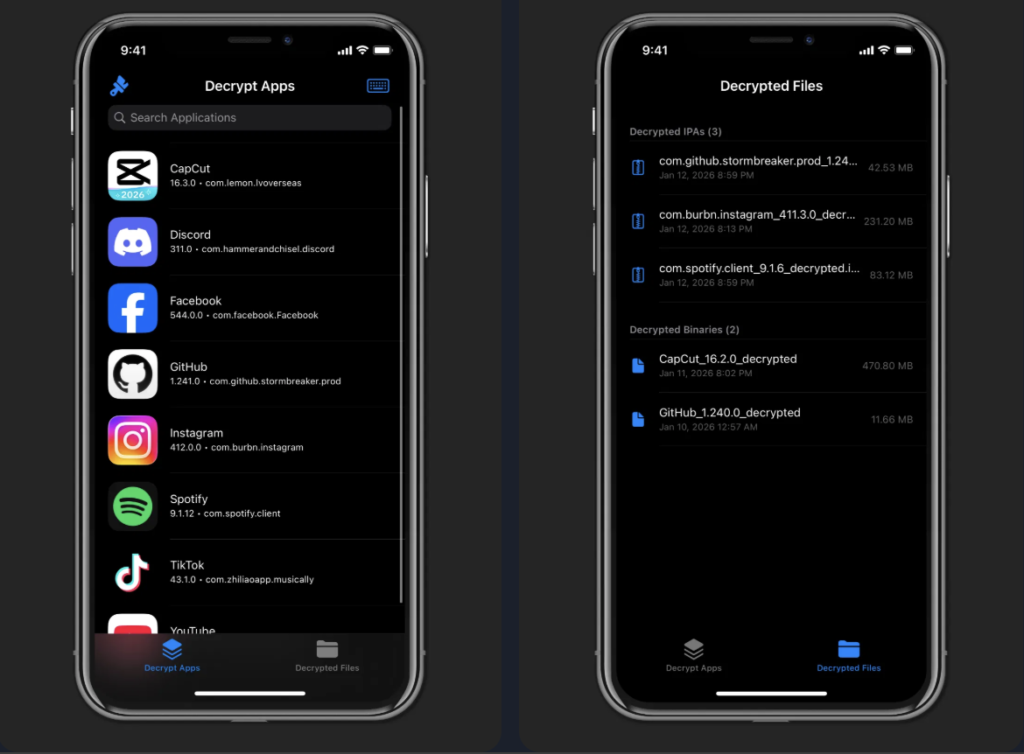
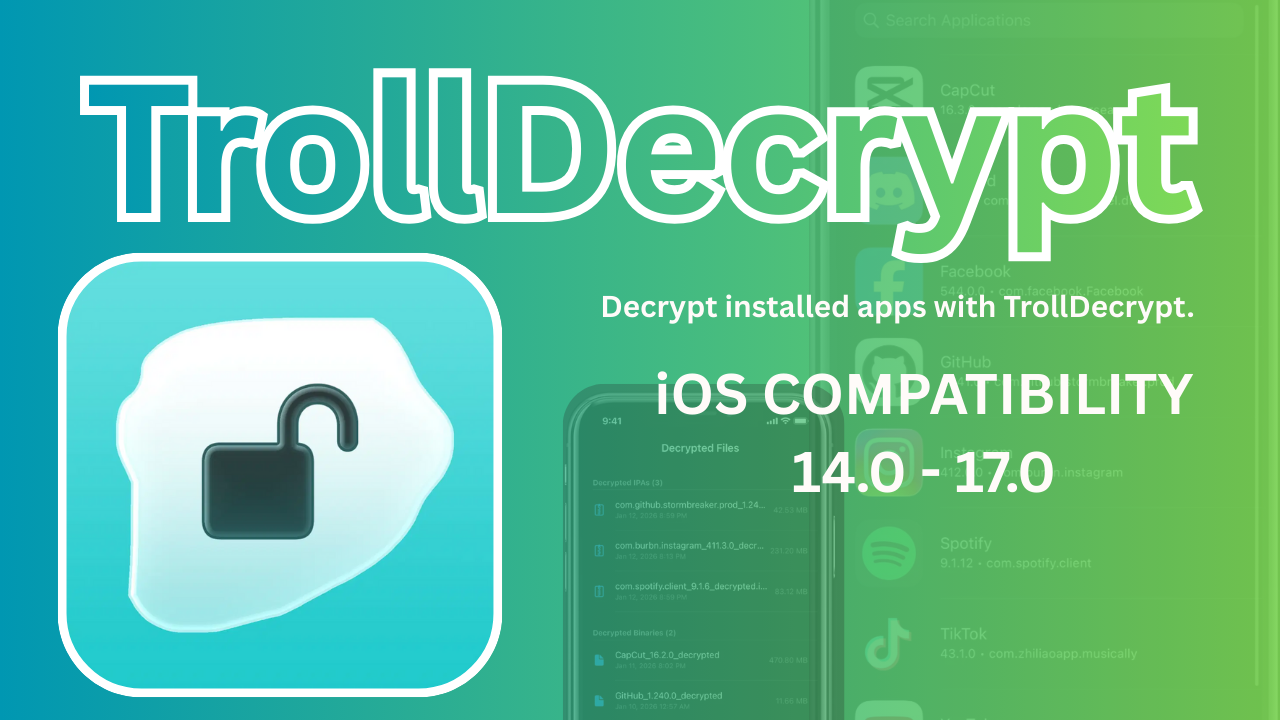
    TrollDecrypt is a tool developed by iOS developer Donato-Fiore that decrypts .ipa files using TrollStore 2-compatible firmware. It allows users to extract decrypted .ipa files from apps installed via TrollStore, enabling sideloading on unsupported devices.

    After decryption, the .ipa can be installed using tools like Sideloadly with forced installation parameters. This tool is particularly useful for developers and enthusiasts managing jailbreak-free app installations on iOS devices. Always ensure compliance with local laws and Apple’s terms of service when using such tools.

    TrollDecrypt is a tool developed by iOS developer Donato-Fiore that decrypts .ipa files using TrollStore 2-compatible firmware.

    How do I install TrollDecrypt?

    In order to install TrollDecrypt, you can either:

    1. Get it on Havoc!
    2. Download the latest TrollDecrypt release here
    3. Build from source

    How to build

    Install theos

    1. Run the commands below
    2. git clone https://github.com/donato-fiore/TrollDecrypt.git
    3. cd TrollDecrypt
    4. make package

    Credits / Thanks

    • wh1te4ever for TrollDecryptor
    • opa334 for some pieces of code
    • super.user for the original app icon

    TrollDecrypt Device Compatibility:

    TrollDecrypt is supported on iOS 14.0 – iOS 17.0

    iOS 14.x

    • iOS 14.0
    • iOS 14.0.1
    • iOS 14.1
    • iOS 14.2
    • iOS 14.3
    • iOS 14.4
    • iOS 14.5
    • iOS 14.6
    • iOS 14.7
    • iOS 14.8
    • iOS 14.8.1

    iOS 15.x

    • iOS 15.0
    • iOS 15.0.1
    • iOS 15.1
    • iOS 15.1.1
    • iOS 15.2
    • iOS 15.2.1
    • iOS 15.3
    • iOS 15.3.1
    • iOS 15.4
    • iOS 15.4.1
    • iOS 15.5
    • iOS 15.6
    • iOS 15.6.1
    • iOS 15.7
    • iOS 15.7.1
    • iOS 15.8
    • iOS 15.8.1
    • iOS 15.8.2 (if released — various security releases existed in this series)

    iOS 16.x

    • iOS 16.0
    • iOS 16.0.1
    • iOS 16.1
    • iOS 16.1.1
    • iOS 16.1.2
    • iOS 16.2
    • iOS 16.3
    • iOS 16.3.1
    • iOS 16.4
    • iOS 16.4.1
    • iOS 16.5
    • iOS 16.5.1
    • iOS 16.6
    • iOS 16.6.1
    • iOS 16.7
    • iOS 16.7.1

    iOS 17.x

    iOS 17.0


    TrollDecrypt Core Features

    • App Decryption: Strips the Apple FairPlay DRM (Digital Rights Management) from installed App Store applications.
    • TrollStore Native Support: Operates as a “TrollStore app,” meaning it uses specialized entitlements to perform system-level tasks without needing a full jailbreak on supported versions.
    • IPA Generation: Automatically bundles the decrypted binary and its resources back into a standard .ipa file format for easy export.
    • Simplicity: Typically features a straightforward user interface (UI) that lets users select an installed app from a list to begin the decryption process.
    • Cross-Platform Variants: While primarily for iOS, there is also a TrollDecrypt-tvOS variant designed for decrypting apps on Apple TV.
    • Sharing Integration: Includes functionality to share or export the final decrypted file via the standard iOS share sheet or via AirDrop.

  • Jailbreak Tweak Master -2026

    Jailbreak Tweak Master -2026

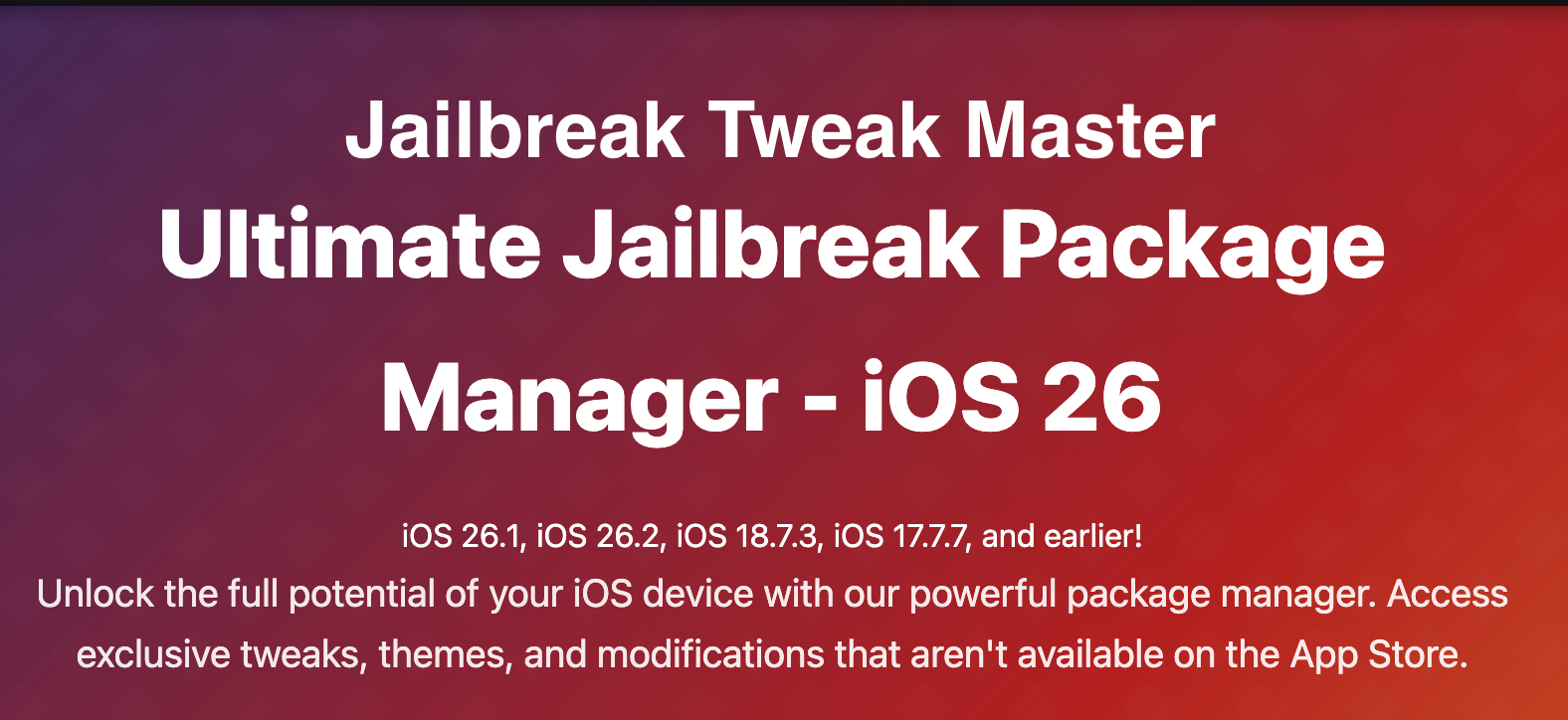
    Everything you need to know about Jailbreak Tweak Master tool and whether it is worth getting a VIP subscription. Jailbreak Tweak Master is compatible with iOS 26.3 beta through iOS 11.

    Download Jailbreak Tweak Master V3.1

    Jailbreak Tweak Master is a Threaded Jailbreak solution, so users do not need a PC to install it. It also does not require reinstallation after reboot. The latest version is now fully compatible with iOS 26.3 Beta 2, iOS 26.2.1, iOS 18.7.3, iOS 17.7.3, and iOS 16 and lower.

    What is Jailbreak Tweak Master:

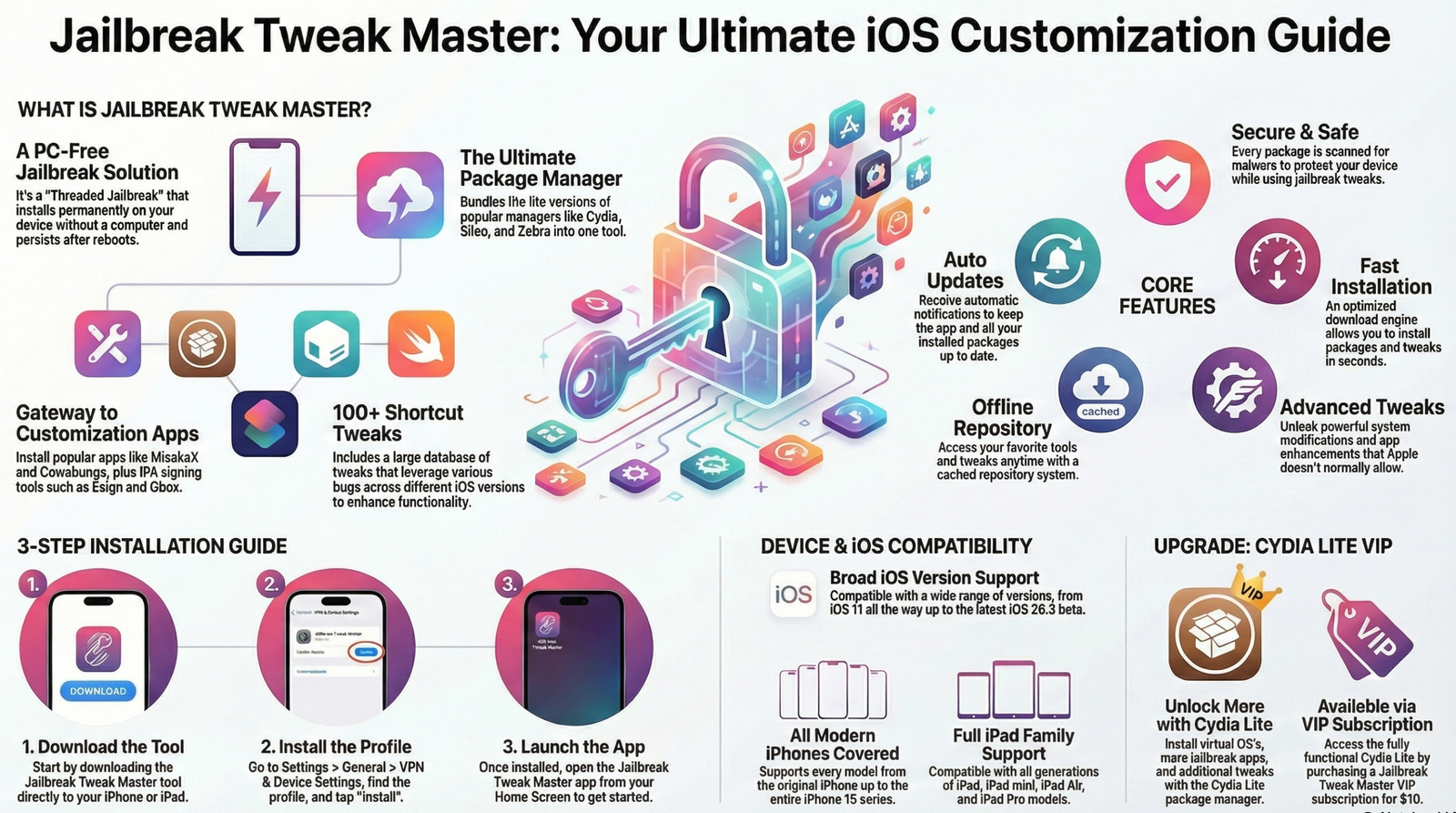
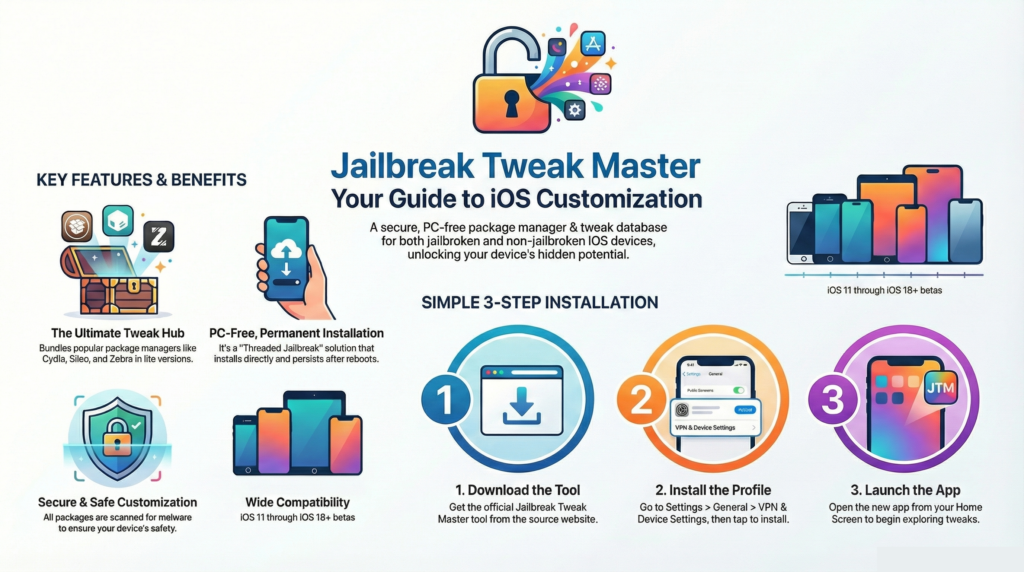
    Jailbreak Tweak Master is a Package Manager and Tweak database tool that is available for Jailbroken and Non-Jailbroken iDevices. It is a Threaded Jailbreak solution that permanently installs on an iDevice. It is the Ultimate Jailbreak Package Manager, including the popular Cydia, Sileo, and Zebra Package Managers in Lite versions. Not only does it include 100+ iOS Shortcut tweaks that leverage various bugs across different iOS versions, but it also includes.

    Many iPhone users install iOS customization apps via Jailbreak Tweak Master, including MisakaX, LiveContainer, Cowabunga, and BlizzardBoard. It is also used to install IPA signing tools, including Ksign, KawaSign, Gbox, Esign, and Feather iOS Signer.

    With Jailbreak Tweak Master tool’s powerful features, users can install Secure & Safe Shortcut Tweaks. All packages are scanned for malware to ensure your device remains secure when using jailbreak tweaks.

    Read More: iOS 16 – iOS 26.3 beta 2 Real Jailbreak Tool – Dopamine

    Jailbreak Tweak Master Features:

    • Offline Repository – Access tweaks even when offline with our cached repository system. Never be without your favorite tools.
    • Secure & Safe – All packages are scanned for malware to ensure your device remains secure when using jailbreak tweaks.
    • Fast Installation – Install packages in seconds with our optimized download engine. No more waiting for tweaks to download and install.
    • Auto Updates – Stay current with automatic update notifications for all your installed packages and the app itself.
    • Advanced Tweaks – Unlock features Apple doesn’t want you to have, from system modifications to app enhancements.

    How To Install Jailbreak Tweak Master

    To install Jailbreak Tweak Master, follow the step-by-step guide below.

    Step 01: Download Jailbreak Tweak Master Tool

    Step 02: Install it via iPhone/iPad Settings App

    Settings > General > VPN & Device Settings > Click “Jailbreak Tweak Master Profile” > Tap “Install”> Follow the on-screen instructions.

    Step 03: Open the Jailbreak Tweak Master app from the iPhone Home Screen.

    Jailbreak Tweak Master Online Install

    Jailbreak Tweak Master Compatibility: iOS Versions

    iOS 26 – iOS 26, iOS 26.1, iOS 26.2(26.2.1), iOS 26.3(26.3 beta 2)

    iOS 18 – 18.0, 18.0.1, 18.1, 18.1.1, 18.2, 18.2.1, 18.3, 18.3.1, 18.4, 18.4.1, 18.5, 18.5.1, 18.6, 18.6.1, 18.6.2, 18.7, 18.7.1, 18.7.2, 18.7.3

    iOS 17 – 17.0, 17.0.1, 17.0.2, 17.0.3, 17.1, 17.1.1, 17.1.2, 17.2, 17.2.1, 17.3, 17.3.1, 17.4, 17.4.1, 17.5, 17.5.1, 17.6, 17.6.1, 17.7, 17.7.1, 17.7.2

    iOS 16 – 16.0, 16.0.1, 16.0.2, 16.1, 16.1.1, 16.1.2, 16.2, 16.2.1, 16.3, 16.3.1, 16.3.2, 16.4, 16.4.1, 16.5, 16.5.1, 16.6, 16.6.1, 16.7, 16.7.1, 16.7.2, 16.7.3, 16.7.4, 16.7.5, 16.7.6, 16.7.7, 16.7.8, 16.7.9, 16.7.10, 16.7.11, 16.7.12

    iOS 15 – 15.0, 15.0.1, 15.0.2, 15.1, 15.1.1, 15.2, 15.2.1, 15.3, 15.3.1, 15.4, 15.4.1, 15.5, 15.5.1, 15.6, 15.6.1, 15.7, 15.7.1, 15.7.2, 15.7.3, 15.7.4, 15.7.5, 15.7.6, 15.7.7, 15.7.8, 15.8, 15.8.1, 15.8.2, 15.8.3, 15.8.4, 15.8.5

    iOS 14 – 14.0, 14.0.1, 14.1, 14.2, 14.2.1, 14.3, 14.4, 14.4.1, 14.4.2, 14.5, 14.5.1, 14.6, 14.7, 14.7.1, 14.8, 14.8.1

    iOS 13 – 13.0, 13.1, 13.1.1, 13.1.2, 13.1.3, 13.2, 13.2.1, 13.2.2, 13.2.3, 13.3, 13.3.1, 13.4, 13.4.1, 13.5, 13.5.1, 13.6, 13.6.1, 13.7

    iOS 12 – 12.0, 12.0.1, 12.1, 12.1.1, 12.1.2, 12.1.3, 12.1.4, 12.2, 12.3, 12.3.1, 12.3.2, 12.4, 12.4.1, 12.4.2, 12.4.3, 12.4.4, 12.4.5, 12.4.6, 12.4.7, 12.4.8, 12.5, 12.5.1, 12.5.2, 12.5.3, 12.5.4, 12.5.5, 12.5.6, 12.5.7

    iOS 11 – 11.0, 11.0.1, 11.0.2, 11.0.3, 11.1, 11.1.1, 11.1.2, 11.2, 11.2.1, 11.2.2, 11.2.5, 11.2.6, 11.3, 11.3.1, 11.4, 11.4.1

    Jailbreak Tweak Master Compatibility: iPhone/iPad Models

    iPhone (Original → Number Series)

    • iPhone (2007)
    • iPhone 3G
    • iPhone 3GS
    • iPhone 4
    • iPhone 4S
    • iPhone 5
    • iPhone 5c
    • iPhone 5s
    • iPhone 6
    • iPhone 6 Plus
    • iPhone 6s
    • iPhone 6s Plus
    • iPhone SE (1st generation)
    • iPhone 7
    • iPhone 7 Plus
    • iPhone 8
    • iPhone 8 Plus
    • iPhone X
    • iPhone XR
    • iPhone XS
    • iPhone XS Max

    iPhone 11 Series

    • iPhone 11
    • iPhone 11 Pro
    • iPhone 11 Pro Max

    iPhone SE Series

    • iPhone SE (2nd generation)
    • iPhone SE (3rd generation)

    iPhone 12 Series

    • iPhone 12 mini
    • iPhone 12
    • iPhone 12 Pro
    • iPhone 12 Pro Max

    iPhone 13 Series

    • iPhone 13 mini
    • iPhone 13
    • iPhone 13 Pro
    • iPhone 13 Pro Max

    iPhone 14 Series

    • iPhone 14
    • iPhone 14 Plus
    • iPhone 14 Pro
    • iPhone 14 Pro Max

    iPhone 15 Series

    • iPhone 15
    • iPhone 15 Plus
    • iPhone 15 Pro
    • iPhone 15 Pro Max

    iPhone 16 Series

    • iPhone 16
    • iPhone 16 Plus
    • iPhone 16 Pro
    • iPhone 16 Pro Max

    iPhone 16 Series

    • iPhone 17
    • iPhone 17 Pro
    • iPhone 17 Pro Max
    • iPhone 17 Air (also sometimes called iPhone Air in press)

    All iPad Models

    • iPad (1st generation)
    • iPad 2
    • iPad (3rd generation)
    • iPad (4th generation)
    • iPad (5th generation)
    • iPad (6th generation)
    • iPad (7th generation)
    • iPad (8th generation)
    • iPad (9th generation)
    • iPad (10th generation)

    iPad mini

    • iPad mini (1st generation)
    • iPad mini 2
    • iPad mini 3
    • iPad mini 4
    • iPad mini (5th generation)
    • iPad mini (6th generation)

    iPad Air

    • iPad Air (1st generation)
    • iPad Air 2
    • iPad Air (3rd generation)
    • iPad Air (4th generation)
    • iPad Air (5th generation)

    iPad Pro

    • iPad Pro 9.7-inch
    • iPad Pro 10.5-inch
    • iPad Pro 11-inch (1st generation)
    • iPad Pro 11-inch (2nd generation)
    • iPad Pro 11-inch (3rd generation)
    • iPad Pro 11-inch (4th generation)
    • iPad Pro 12.9-inch (1st generation)
    • iPad Pro 12.9-inch (2nd generation)
    • iPad Pro 12.9-inch (3rd generation)
    • iPad Pro 12.9-inch (4th generation)
    • iPad Pro 12.9-inch (5th generation)
    • iPad Pro 12.9-inch (6th generation)

    How To Install Cydia Lite

    Cydia Lite is a jailbreak package manager that includes jailbreak tools and tweaks for both jailbroken and non-jailbroken devices. Using Cydia Lite, you can install Virtual OS’s, Jailbreak apps, IOS Shortcut Tweaks, and much more. To install the fully functional Cydia Lite version, users must purchase a Jailbreak Tweak Master VIP for $10; proceeds support the Jailbreak community.

    Step 01: Navigate to Jailbreak Tweak Master Home Screen

    Step 02: Tap on the Get button of Cydia Lite

    Step 03: Install Cydia Lite via iPhone Settings App

    Settings > General > VPN & Device Settings > Click “Jailbreak Tweak Master Profile” > Tap “Install”> Follow the on-screen instructions.

    Step 04: Open Cydia Lite and Extract Jailbreak repos.

  • iOS IPA Sideloading / Best iPA Signers Updated 2026

    iOS IPA Sideloading / Best iPA Signers Updated 2026

    iOS IPA Sideloading is a method that allows iOS app Developers and users to install apps on Apple devices without using the official App Store.

    This Process is known as side-loading. This can be achieved through using various tools, most of which are free. But potentially unstable, like Scarlet, U04S, ZeeSigner. Users can also use paid subscription services such as SideloadMaster, Udidmaster, Signulus, AppDB Pro, Ksign Patcher, Esign Patcher, Feather iOS Patcher, Troll Tool Online, and 9 Installer.

    Alternatively, users can use computer-based utilities such as AltStore and Sideloadly. These online tools require a developer account (which can be obtained using an Apple ID and Password) or frequent manual updates to keep sideloaded apps active.

    Each approach offers a different balance of cost, convenience, and technical requirements depending on whether the user has access to a desktop. Ultimately, these techniques allow for the installation of custom IPA files and restricted applications that are otherwise unavailable on iOS.

    The Complete Guide to Sideload .iPA file on iPhone/iPad or AppleTV without PC and Jailbreak

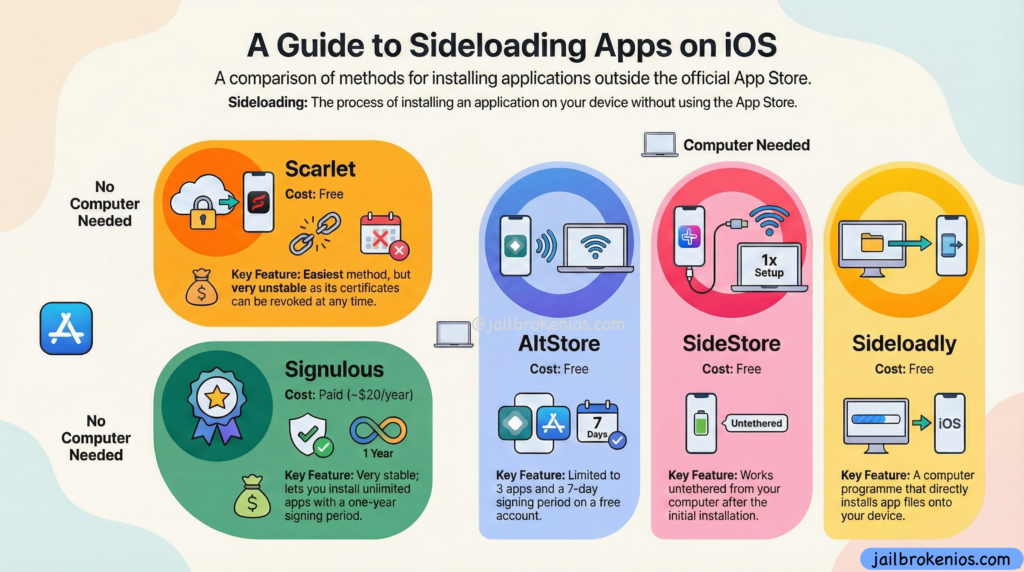
    A Guide to iOS iPA Sideloading Apps on iOS:

    To sideload the .iPA /.TiPA(Trollstore) File users need a Sideloading tool, as described above. There are various tools available; some require a PC or Mac, and others function as on-device IPA signers. They can also be downloaded online. Below, we list the most secure and easy-to-understand tools, ranked by popularity.

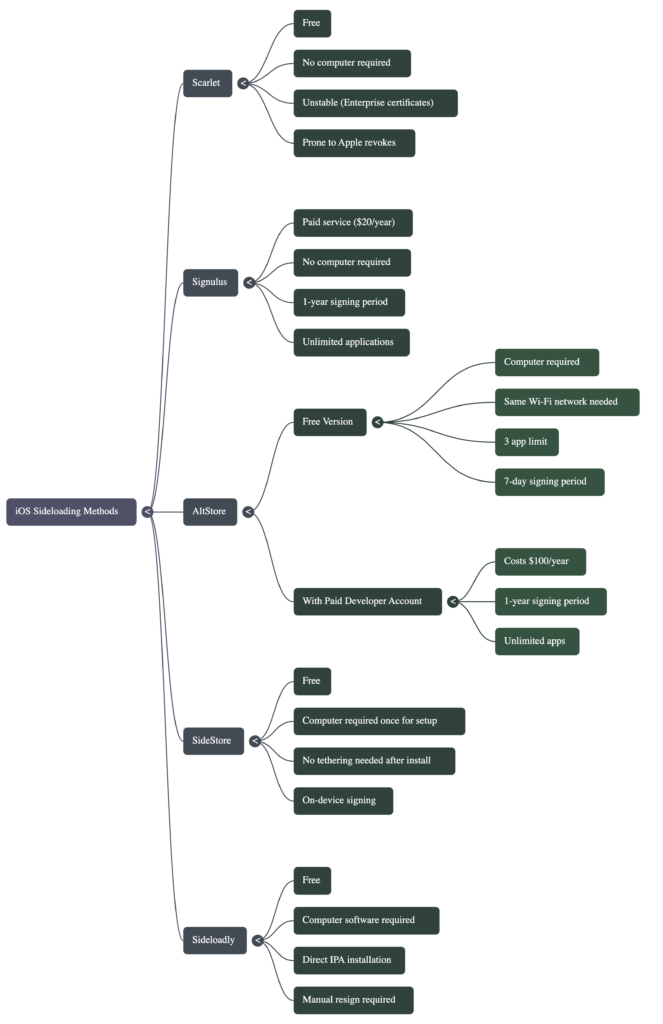
    A Comparative Taxonomy of iOS iPA Sideloading Architectures

    iOS IPA Sideloading / Signer A Comparative Taxonomy of iOS Sideloading Architectures  iPA Signing tools Mide Map

    Best iPA Signers in 2025

    ZeeSigner – Online iOS IPA Sideloading / Signer Tool 2025

    ZeeSigner is a free, untethered online IPA sideloading tool that works on both iPhones/iPads. With the free certificate selection option, users can change the signing certificate file and then install the app by selecting the certificate. They can also install anti-revoke DNS profiles to protect the app revocation.

    ZeeSigner also offers a Premium Subscription plan that helps users keep their apps in an untethered environment with an anti-revoke protection layer. We highly recommend that users subscribe to keep their apps and accounts protected, as it safeguards apps and logged-in account data for 365 days. Also, their(ZeeSigner Tool) advanced AI-based anti-revoke protection mechanisms notified users up to 1 month before the app’s expiration, allowing them to back up and keep their important data in those apps.

    U04S Store – Online iOS iPA Sideloading Signer

    U04S is another popular IPA signing tool that initially offered only unc0ver jailbreak sideloading, but with the latest update, users can now install Tweaked and Jailbreak apps freely. U04S also provides a Premium signing option(up to $20) that differs from those offered by other tools. One of the U04S Team members will assist the user in installing iOS apps and configuring the U04S app.

    The U04S tool contains the most popular IPA files, such as unc0ver, Dopamine, Xina15, TrollStore, and MisakaX. Additionally, for VIP users, it includes an option to request on-demand app signing.

    Scarlet – Online iPA Signer

    Scarlet is no-PC required and free. It also works with a globally available Apple Distribution Certificate file. As a result, this tool was unstable. If Apple detects that the enterprise certificate is revoked, all users worldwide who use apps signed with it will be prompted to cancel it. This means the apps are no longer working and display a “Untrusted Developer” or “Unable to Install” notification.

    Signulus – Paid iOS IPA Sideloading /Signer Tool.

    Signulus is a paid iOS IPA Sideloading signer tool. With the premium subscription, you can sign and install an unlimited number of IPA files to your iDevice. The Signing subscription is valid for one year; after that, you will need to renew it. The significant disadvantage of this tool is that it lacks anti-revoke protection. If Apple revokes the current certificate, the apps will no longer work. You can install IPA files on a device without a PC, and no jailbreak is required.

    iOS IPA Sideloading / Signer Tools – NEED PC 2025

    If you have a PC or Mac, you can use the following free IPA Sideloading tools to sideload IPA files onto your iDevice. The significant disadvantage of this method is instability. It means those apps may stop working after a specific number of days.

    Most apps are not working after 7 days. Also, users can install up to 10 apps. Also, if the app has expired, the user needs to reconnect their iOS device to the PC or Mac, sign in, then sign in again. This may be insecure for app and account data. This means you need to relaunch the apps (e.g., Facebook, YouTube). If an update is available, you can’t update the current app using these tools without losing log data.

    Sideloadly – iPA Sideloading Tool _ Need PC

    Sideloadly is a Free Ondevice IPA sideloading/Signing tool. To use this software, users need a PC/Mac. Also, this tool now supports Windows, Mac, and Linux. To use this app, users need to connect their iDevice to a PC/MAC using a cable, and may also need some technical knowledge to set up the app.
    Also, you need to provide your Apple ID and Password to create a temporary Developer account. Then download the desired IPA file using Zee IPA Library, then drag & drop it into the Sideloadly tool. Then it may be able to change the app bundle ID and app data, and then start the signing process.

    Note* users can sign and install only 10 apps. Also, the installed apps need to be resigned after 10 days.

    SideStore – Sideloading Tool – Need PC

    SideStore. An alternative app store for seamless sideloading. No jailbreak needed, and no computer after the initial install, only a Wi-Fi connection. This is also a free IPA signing tool, but once you set it up, you must connect to the same Wi-Fi network. Also, this tool works like an ondevice IPA signer.

    AltStore – Ondevice iPA Sideloadler

    AltStore is another popular IPA signer tool. It requires a PC or Mac for the initial setup. Once you install the software, you don’t need to connect your device to the PC, but you must keep the iDevice and PC on the same Wi-Fi network to re-sign the app every 7 days. Alt Store has its own IPA library, and users can also download IPA files and import them into Alt Store. Due to Apple’s restrictions, most IPA files do not work as expected.

    This tool can be used both as a Paid and a Free tool. The Free method, as mentioned above, requires you to keep your iDevice connected to the same Wi-Fi network. Also, it has a limit of only three apps. This means you can sign only three applications.

    Paid version users need a paid Apple Developer account (which may cost $100 per Year). The apps are valid for one year, and users can install unlimited apps.

    Note – You can get AltStore-compatible paid Developer Accounts under – $25 via udidmaster.com

    Step by Step iOS .IPA File Sideloading/Sign Introduction Guide

    What is the primary reason the Scarlet method is considered ‘unstable’ for sideloading applications?

    It relies on Enterprise certificates, which Apple can revoke at any time.
    That’s because Scarlet uses Enterprise certificates, Apple can invalidate them, causing installed apps to stop working without warning.

    For a user who does not have a computer and is willing to pay for convenience, which sideloading service is recommended for its one-year signing period and unlimited app installations?

    9 Installer
    Ksign Patcher – (Ksign iPA Signer)
    Esign Patcher – Esign iPA Signer
    Zee Signer
    Signulus

    The top-paid option for those without a computer costs £20 per year.

    What are the two main limitations when using AltStore with a standard, free Apple account?

    A seven-day signing period and a limit of two sideloaded apps (plus AltStore itself).

    Because free accounts must re-sign apps weekly and are limited to three apps total, one of which is AltStore.

    What is the key difference in the requirements for a computer between AltStore and SideStore, as described in the video?

    AltStore requires a computer for every app installation, whereas SideStore only needs it for the initial setup.

    The SideStore removes the need to be ‘tethered’ to a computer after the first installation.

    How does the process of installing an app with Sideloadly differ from using an on-device service like AltStore?

    Sideloadly installs the app directly from a computer application, bypassing the need for a ‘middleman’ app on the phone.

    Connect your phone, drop the .ipa file into Sideloadly on your computer, and it installs directly.

    How to achieve a one-year signing period and an unlimited number of sideloaded apps using methods like AltStore and Sideloadly?

    By using a paid Apple developer account.

    You need to pay Apple $100 a year for a developer account, which grants these privileges.


    Sideload iOS iPA files – Tweaks, Customization, Utilities

    By using the iOS IPA sideloading apps above, you can sideload more IPA files. The following are some of the most important and well-known IPA files you can try to sideload.

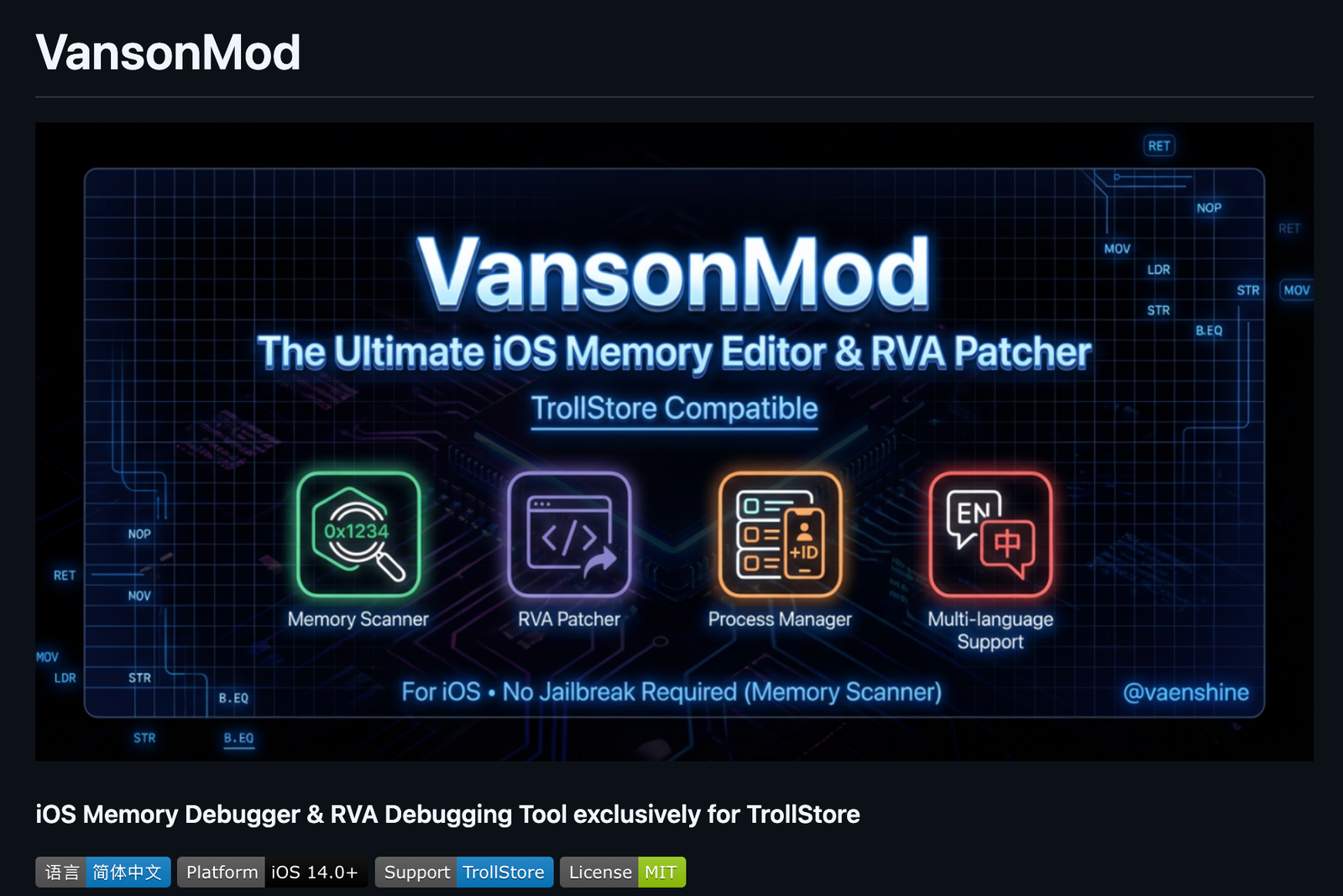
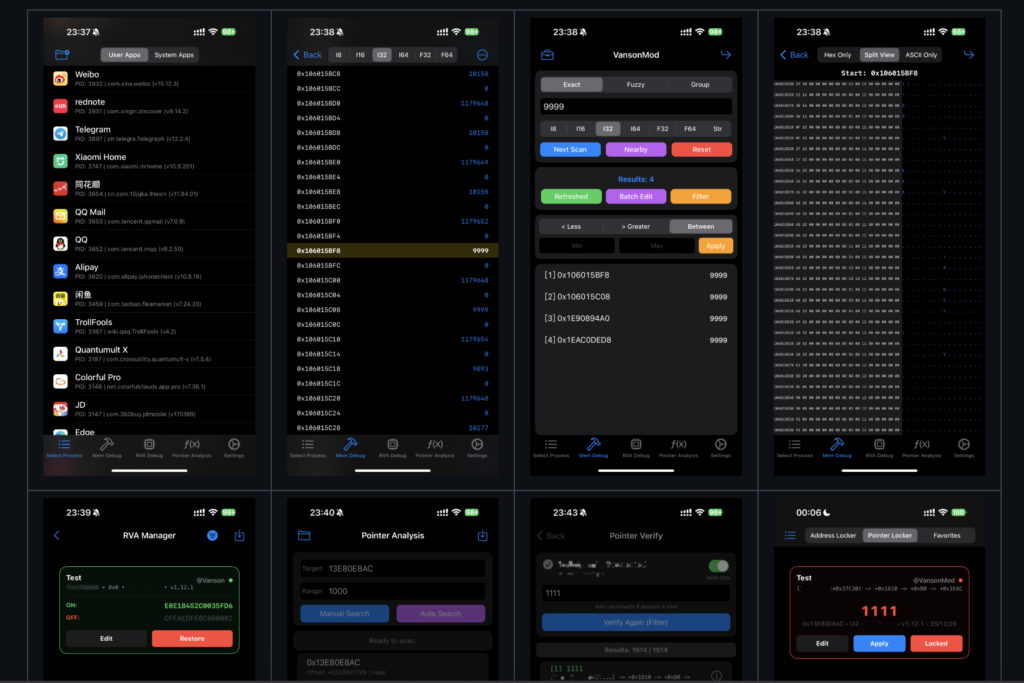
    VansonMod: The OS memory editor, iOS pointer analysis, RVA patcher, and process manager for TrollStore (jailbreak optional) are essential tools. This solution includes powerful hex-editing capabilities that enhance your productivity and efficiency. Download VansonMod

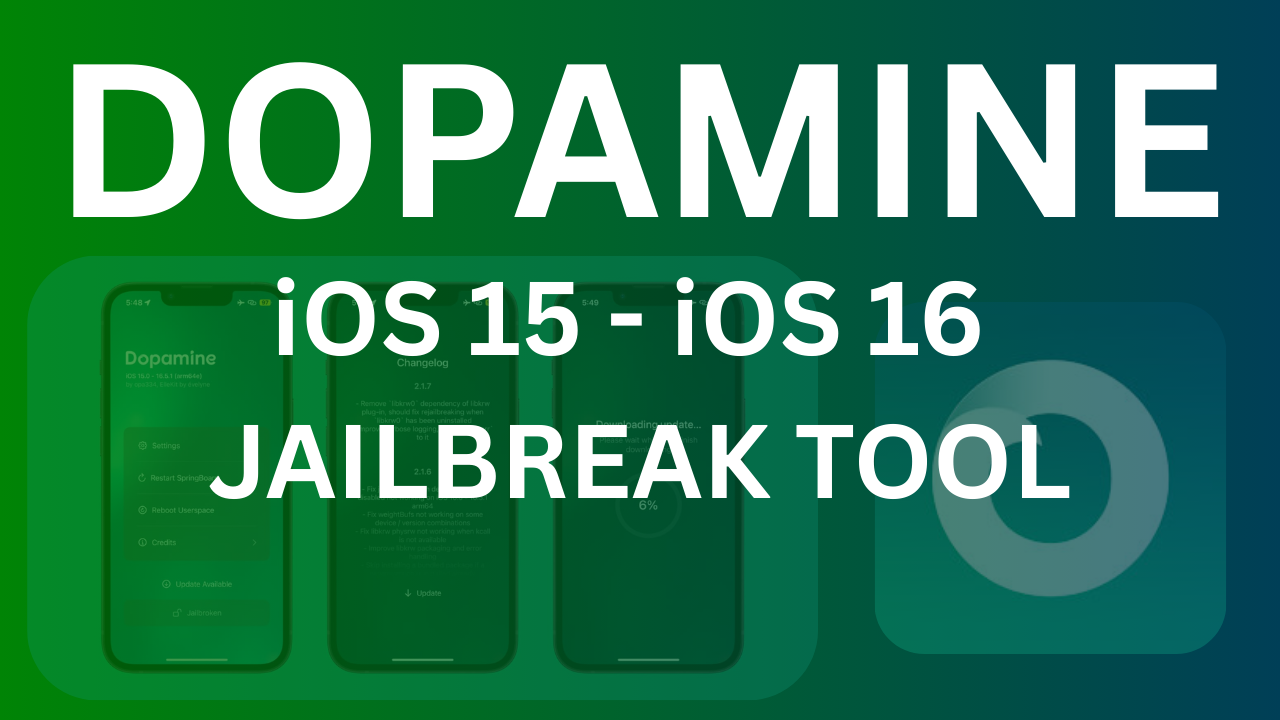
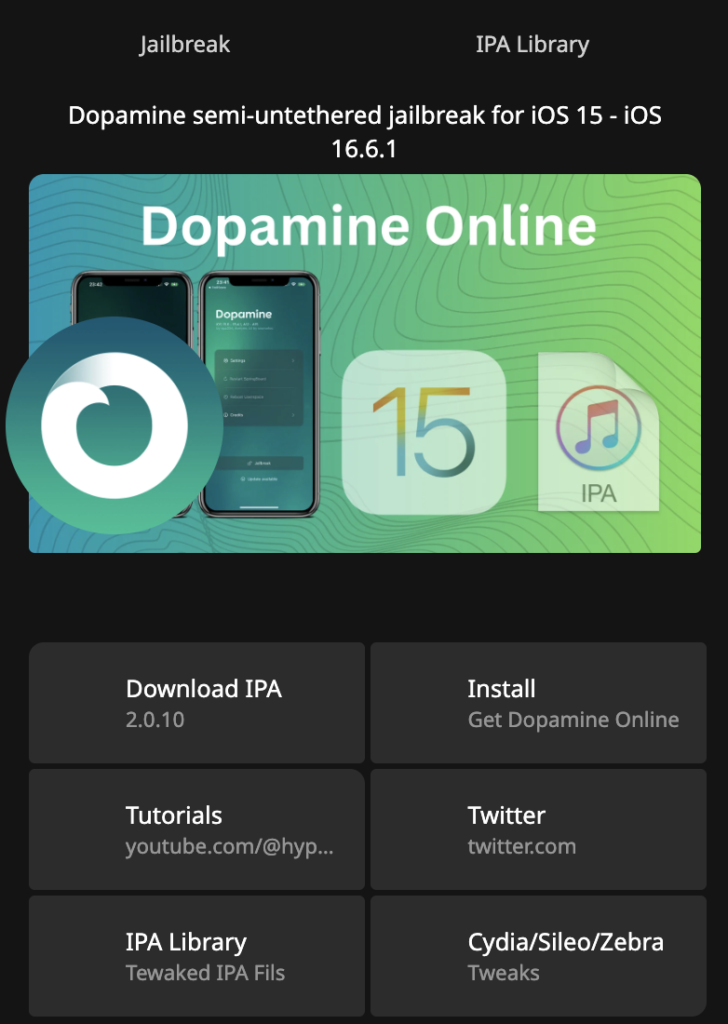
    Dopamine (formerly Fugu15 Max): A rootless semi-untethered Jailbreak tool for iOS 15 – iOS 16 running Devices, for arm64 (A8 – A11) and arm64e (A12 – A16, M1 – M2) Download DOpamine

  • VansonMod – iOS ToolKit 2026

    VansonMod – iOS ToolKit 2026

    VansonMod: OS memory editor, iOS pointer analysis, RVA patcher, and process manager for TrollStore (jailbreak optional). Supports hex editing, value scanning, and backup/restore.

    VansonMod is an independent Root Helper tool designed exclusively for the TrollStore environment.

    Unlike traditional jailbreak tweaks, it runs externally using Mach kernel APIs without code injection, enabling memory debugging features to work without a jailbroken environment. It integrates a powerful memory debugger, an app archive manager, an intelligent process manager, a professional Hex editor, and a comprehensive cross-process RVA debugging suite for jailbroken users. Fully compatible with all iOS device sizes and natively supporting iPad split-screen, it features a consolidated layout and optimized interaction design, delivering top-tier debugging efficiency and stability as a professional iOS app debugging tool.

    VansonMod: OS memory editor, iOS pointer analysis, RVA patcher, and process manager for TrollStore

    Download VansonMod Latest Update?

    VansonMod v2.3.tipa Latest

    - 工具箱新增脚本功能,兼容H5GG语法。准备了很多Bug等你来测。
    - 指针搜索速度还能卷:大幅提高指针搜索速度与准确性
    - 工具箱某些tab,批量选择增加了复制,可能有的地方有用吧?
    - 修复IOS14导入vm文件异常的问题
    - 修复指针验证tab导入问题
    - 其他修复...
    ------------------------
    - Toolbox adds a new script feature, compatible with H5GG syntax. Plenty of bugs are waiting for your testing.
    - Pointer search speed can still be optimized: Significantly improved the speed and accuracy of pointer search.
    - For certain tabs in the Toolbox, a copy function has been added to batch selection. Might come in handy somewhere, perhaps?
    - Fixed the issue of abnormal import of vm files on iOS 14.
    - Fixed the import issue of the pointer verification tab.
    - Other fixes...

    VansonMod ⚠️ Compatibility Notes

    • Memory Debugging / Full Pointer Features / Archive Management / iPad Split-Screen / Icon Customization: ✅ Supported on all devices (including non-jailbroken TrollStore users).
    • RVA Patcher (Assembly Debugging) / RVA Debug Record Management: ⚠️ Requires a jailbroken environment (e.g., Dopamine, Palera1n) to function properly.
      • Reason: On non-jailbroken devices, the system AMFI mechanism strictly enforces code signature verification. Direct modification of the executable text segment (__TEXT) will cause the target app to crash immediately.

    VansonMod Device Compatibility:

    VansonMod is supported on all devices (including non-jailbroken TrollStore users). This means if your device is compatible with TrollStore and it is non Jailbroken so you are good to go.

    iOS 14.x

    • iOS 14.0
    • iOS 14.0.1
    • iOS 14.1
    • iOS 14.2
    • iOS 14.3
    • iOS 14.4
    • iOS 14.5
    • iOS 14.6
    • iOS 14.7
    • iOS 14.8
    • iOS 14.8.1

    iOS 15.x

    • iOS 15.0
    • iOS 15.0.1
    • iOS 15.1
    • iOS 15.1.1
    • iOS 15.2
    • iOS 15.2.1
    • iOS 15.3
    • iOS 15.3.1
    • iOS 15.4
    • iOS 15.4.1
    • iOS 15.5
    • iOS 15.6
    • iOS 15.6.1
    • iOS 15.7
    • iOS 15.7.1
    • iOS 15.8
    • iOS 15.8.1
    • iOS 15.8.2 (if released — various security releases existed in this series)

    iOS 16.x

    • iOS 16.0
    • iOS 16.0.1
    • iOS 16.1
    • iOS 16.1.1
    • iOS 16.1.2
    • iOS 16.2
    • iOS 16.3
    • iOS 16.3.1
    • iOS 16.4
    • iOS 16.4.1
    • iOS 16.5
    • iOS 16.5.1
    • iOS 16.6
    • iOS 16.6.1
    • iOS 16.7
    • iOS 16.7.1

    iOS 17.x

    iOS 17.0 (only)

    Read More:

    iOS


    How to install VansonMod?

    To install VansonMod follow the below step by step guide:

    This can also be used for non-jailbroken (TrollStore) Users. If your device is Jailbroken and you can try with regular iOS iPA sideloaders, like Ksign Patch, Esign Patch, Feather, or Sideloadly(PC App)

    If your device is on iOS 15 – iOS 16 You can use the Dopamine Jailbreak tool.

    Step 01: Install TrollStore iOS app

    Step 02: Download VansonMod.Tipa file

    Step 03: Open dwonloaded VansonMod.Tipa File in to TrollStore

    Step 04: Open VansonMod using your device Homescreen


    VansonMod Core Features

    1. Pointer Debugging
      • Supports both manual and automatic pointer search modes, paired with an exclusive pointer verification feature to accurately validate pointer validity.
      • Enables one-click import/export of pointer addresses, allowing debugging results to be reused across devices.
      • Offers exclusive pointer configuration switches, supporting manual fine-tuning of automatic search rules to meet the in-depth debugging needs of advanced users.
      • Combines pointer locking, memory locking, and favorites into a single tab page for one-click access to core pointer operations.
      • The pointer verification main interface features a data type selector (covering types from I8 to F64).
      • After successful pointer verification, silent saving is supported, which automatically filters valid pointers and saves them as a new pointer verification file.
    2. Memory Debugger
      • Covers multiple search modes including exact, fuzzy, joint (high-performance ordered), and hybrid (secondary filtering) to optimize retrieval efficiency.
      • Supports precise numerical filtering with three modes: greater than, less than, and range filtering, for accurate positioning of target memory data.
      • Offers adjacent search, which scans nearby memory data based on existing results and automatically removes duplicates to quickly associate relevant addresses.
      • Enables batch debugging with features including select all/range selection modification, fixed value/incremental modification, numerical locking, and infinite scrolling memory browsing; also supports batch locking, batch favoriting, and batch deletion.
      • Allows custom Float Tolerance to adapt to parameter requirements of various debugging scenarios.
      • Enhances fuzzy search with options such as “Value has increased by…” and “Value has decreased by…”, where specific changed values can be entered.
    3. Process and Application Management
      • Supports intelligent filtering, automatically identifying user and TrollStore applications, hiding system processes, and enabling quick filtering by name/BundleID/PID.
      • Offers multi-language adaptation, intelligently displaying the localized App name and showing the application version number.
      • The APP management entry is migrated to the top of the process management interface for centralized core operations.
    4. Application Archive Management
      • Enables one-click backup/restore, fully backing up the Documents/Library directories, supporting multiple archives, and automatically terminating the target process for immediate effect after restoration.
      • Natively integrates with the system “Files” App, allowing direct management of backup file import and export, as well as unified global backup viewing and zombie archive cleanup.
    5. Cross-Process RVA Debugging Suite (Jailbreak Required)
      • Supports real-time debugging: entering Offset and Hex automatically patches running code, automatically handles memory permissions, and has built-in presets for commonly used instructions.
      • Includes an RVA debugging record management module, enabling one-click saving, quick import/export of debugging records, and batch management of multiple records.
      • Fixes the deletion function and resolves the issue of data duplicate stacking caused by pull-to-refresh.
    6. Hex Editor
      • Supports multi-view switching, including Hex/ASCII synchronous split screen, Hex-only/text-only views, with zero-margin visual alignment to adapt to different debugging habits.
      • Enables efficient editing with features including line editing, quick address jump, and synchronous scrolling.
    7. Personalization and Experience Optimization
      • Supports icon customization with a variety of APP icons for users to switch freely.
      • Offers theme adaptation with three theme modes: follow system/light/dark.
      • Natively adapts to iPad split screen, supporting automatic screen rotation and Stage Manager mode.
      • Enables landscape operation, unlocking App rotation restrictions to adapt to iPad/iPhone landscape orientation; switching back to VM in landscape mode maintains landscape display.

  • Dopamine Jailbreak Free Download 2026

    Dopamine Jailbreak Free Download 2026

    Dopamine Jailbreak is a semi-untethered jailbreak for iOS 15 and 16. In this guide, we cover how to install Dopamine on iOS 26.3, iOS 18.7.3, iOS 17.7.3, iOS 16 and below, and discuss its Compatibility, Alternatives, and how to jailbreak an iPhone/iPad.

    Free Download Dopamine Jailbreak Latest Update

    The most recent updates that improve system stability and bypass third-party app detection. Users often prefer this tool over alternatives like Palera1n because it supports a wide range of arm64e devices and offers a smoother, rootless experience

    v2.4.7 Changes.
    • Fix an issue where the jailbreaking process would get stuck on “Patchfinding” on some device / version combinations (seemingly affected early iOS 15 arm64 devices the most) [2.4.6 regression]
    • Fix issues with custom boot logos not getting set / not persisting correctly
    • Fix an issue where selecting a picture taken with a camera as the custom boot logo would cause it to have the wrong orientation in some cases

    Dopamine is a semi-untethered, rootless jailbreak specifically designed for iOS 15 and iOS 16. The community widely regards it as one of the most stable and modern jailbreaks available, often contrasted favorably against older or more cumbersome tools like Palera1n.

    Device Compatibility: It supports arm64e devices (A12 through A16) on versions up to iOS 16.5.1 and arm64 devices on versions up to iOS 16.6.1.

    Core Exploits: The jailbreak leverages the Kernel File Descriptor (KFD) exploit and a PPL bypass born from “Operation Triangulation”.

    The “Rootless” Nature: Unlike traditional “rootful” jailbreaks, Dopamine is rootless, meaning it does not modify the sealed system partition, which contributes to its stability and compatibility with modern iOS security features.

    Inspect iOS Internals: It provides a window into sandbox escapes, kernel patches, and the interaction between various payloads and post-exploitation frameworks.

    Real-Time Debugging: Developers can set breakpoints and trace exploit logic step-by-step to understand how vulnerabilities are leveraged in a real-world environment.

    Customization: Building the project manually enables the use of debug flags and the injection of custom tweaks or logging instrumentation.

    User Experience and Stability

    In the broader context of the jailbreak scene, Dopamine is noted for its high level of usability:

    Convenience: Because it works with TrollStore, the jailbreak app remains signed on the device indefinitely. This means users do not need to re-sideload the app on a computer every seven days, and they can re-jailbreak directly on the device after a reboot.

    Stealth Features: Recent updates, such as version 2.4, have introduced a significantly upgraded “Hide Jailbreak” feature intended to make the jailbreak undetectable by most apps that employ jailbreak detection.

    Performance Fixes: The sources mention ongoing refinements, such as workarounds for spinlock panics on iOS 15 and optimizations to make userspace reboots faster.

    Personalization: Recent versions have added aesthetic features, such as the ability to display a custom boot logo during userspace reboots.

    How to Install Dopamine Jailbreak?

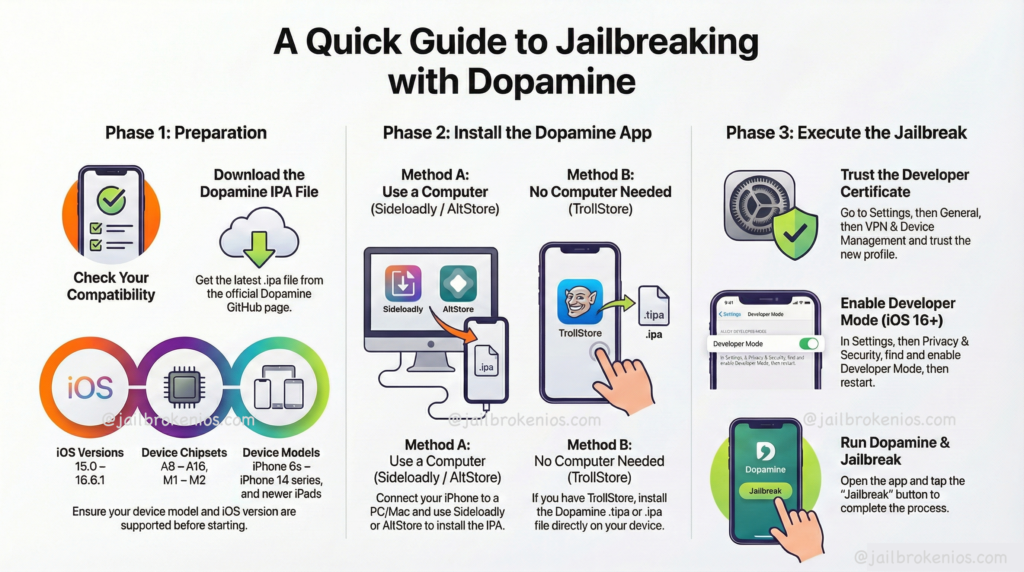
    To install the Dopamine jailbreak, you can use a Windows or macOS device. Also, you can use IPA sideloaders like Ksign Patcher, Esign iOS, or Online DOpamine Jailbreak Installer services like DOpa Store.

    Learn More about iOS iPA Sideloading Tools

    Install Dopamine Jailbreak: Using Online Methods

    Dopa Store:

    Dopa Store is one of the most famous Jailbreak Online Installer Service Providers in the Jailbreak Community. Initially, this service was limited to installing the DOpamine Jailbreak tool. Still,\ it now supports additional tools, including unc0ver, Palera1n, Chimera, Odyssey, and iOS sideloaders such as Esign, Ksign, Troll Online, and similar tools.

    Dopa Store is one of the most famous Jailbreak Online Installer Service Providers in the Jailbreak Community. Initially, this service was limited to installing the DOpamine Jailbreak tool. Still,\ it now supports additional tools, including unc0ver, Palera1n, Chimera, Odyssey, and iOS sideloaders such as Esign, Ksign, Troll Online, and similar tools.

    Step 01: Download Dopa Store – Download

    Step 02: Install Dopa Store via iPhone Settings’ app > General > Device & Vpn Management > Tap Dopa Store Profile > Install > Follow on-screen instructions> Open Dopa Store via iPhone Home Screen.

    Step 03: Tap the Install button (the Free Installation link may be revoked by Apple at any time). Also, if you don’t want to revoke the Dopamine app and lose the jailbreak every time, choose the VIP installation with the corresponding package (+365 days Revoke Protection).

    Step 04: Once the install pop-up appears, tap on it, and the Dopamine logo will appear on your device’s Home screen.

    Install Dopamine – PC Methods

    If you have a PC or Mac, you can install the Dopamine Jailbreak tool directly on your iDevice without using online methods. To install the dopamine jailbreak tool, you need the following requirements:

    • A PC or a MAC
    • Internet Access: Both PC and iPhone
    • USB lightning cable or a Type C iPhone-compatible cable(Normally, you can use your iPhone charging cable)
    Dopamine Jailbreak: A quick guide to install Dopamine Jailbreak & install for free

    Method 01: Install Dopamine via Sideloadly

    Sideloadly is a user-friendly tool that lets you install applications (IPAs) on iOS devices, Apple Silicon Macs, and Apple TV without jailbreaking. It supports both Windows and macOS, making it accessible to a wide range of users.

    A notable feature of Sideloadly is its ability to hide sensitive information, which is useful for sharing logs or recording demonstrations without exposing personal data.

    Step 01: Download, install, & Configure the sideloadly app

    Step 02: Download the Dopamine Jailbreak tool IPA file.

    Step 03: Open the Sideloadly tool and connect your iDevice to a PC or Mac.

    Step 04: Drag & Drop Dopamine IPA file into Sideloadly Tool.

    Step 05: Click the install button to begin the process.

    Method 02: Install Dopamine via AltStore

    AltStore is a third-party iOS app store that enables users to sideload applications. It does this by using your Apple ID to sign in and install these apps directly on your device, bypassing the standard App Store review process.

    Step 01: Download and install AltStore Server (For Windows users, download and install the latest version of iTunes and iCloud directly from Apple

    Step 02: Extract AltInstaller.zip and run Setup.exe.


    Step 03: In the Windows taskbar search, type “AltServer,” then click “Run as administrator.” Then install AltStore

    Learn More Step By Step AltStore Complete Guide

    Step 04: Download the AltStore.IPA file into iPhone/iPad. Then open the installed AltStore app and import the downloaded Dopamine IPA file.

    On your iOS device, go to Settings -> General -> Profiles & Device Management. Tap “Trust [Your Apple ID],” then tap “Trust” again to confirm.

    Settings -> General -> Profiles & Device Management. Tap “Trust [Your Apple ID],” then tap “Trust” again to confirm.

    Step 05: The Dopamine app will automatically install on the iDevice. Now, the user can open the Dopamine jailbreak app and continue the process.

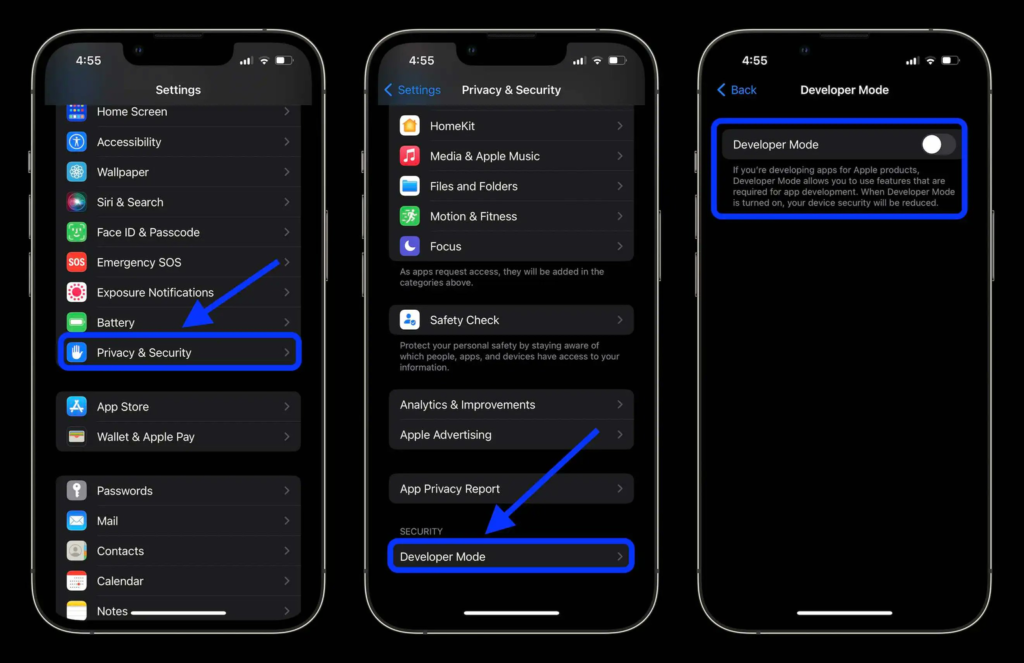
    Enable Developer Mode (iOS 16+)

    To use AltStore on iOS 16 or later, enable Developer Mode in Settings -> Privacy and Security -> Developer Mode.

    To use AltStore on iOS 16 or later, enable Developer Mode in Settings -> Privacy and Security -> Developer Mode.

    DOPAMINE OLD UPDATES

    v2.4.6 Changes.
    • Add the ability to have the device display a boot logo during userspace reboots (By default, the background of the selected theme will be used; additionally, there is an option to choose a custom one)
    • Fix the issue that previously broke iOS 15 arm64 support when compiling libjailbreak with compiler optimizations, and enable compiler optimizations for libjailbreak again
    • Fix a page table alignment bug in pmap_map_in that would never be triggered in practice unless a developer called it themselves with addresses not aligned to L2 boundaries.
    • Several optimizations have been made to make rejailbreaking / userspace rebooting slightly faster

    Jailbreak Customization/Tweaks Apps – After Jailbreak

    VansonMod – iOS ToolKit 2026

    VansonMod: OS memory editor, iOS pointer analysis, RVA patcher, and process manager for TrollStore (jailbreak optional).  Download VansonMod

    Jailbreak Tweak Master – iOS Customization Tool 2026

    Unlock the full potential of your iOS device with our powerful package manager. Access exclusive tweaks, themes, and modifications that aren’t available on the AppStore. Download Jailbreak Tweak Master

  • Your Ultimate Guide to Jailbroken iOS and iPhone Jailbreak Tools

    Understanding Jailbreaking

    Jailbreaking refers to the process of removing software restrictions imposed by iOS on Apple devices. It allows users to gain root access to the file system and customize their devices far beyond the capabilities offered by Apple. This can lead to enhanced user experiences through personalization, as well as improved functionality by allowing the installation of third-party applications.

    Popular Jailbreak Tools

    There are several popular tools for jailbreaking iOS devices. Among the most commonly used are unc0ver, checkra1n, and Taurine. Each of these tools has its unique features and is compatible with different versions of iOS. For instance, checkra1n is known for its semi-tethered jailbreak functionality, which means users can reboot their device without losing their jailbreak, provided they use the tool again after reboots.

    Solutions for Jailbroken Devices

    Once you have jailbroken your iPhone, you may encounter a variety of challenges. This can include issues like network instability or app crashes. Thankfully, many solutions are available. For instance, using software like Cydia can help manage and install tweaks tailored specifically for jailbroken iOS. Additionally, community forums can provide valuable insights and troubleshooting tips to enhance your experience.

    In conclusion, jailbreaking your iOS device can unlock a variety of features and customization options. With the right tools and solutions, you can enjoy a more personalized and versatile iPhone experience.

  • The Ultimate News Guide for Jailbroken iOS and iPhone Jailbreak Tools

    Understanding Jailbreaking on iOS

    The world of iOS jailbreaking has grown exponentially, drawing the attention of tech enthusiasts and casual users alike. Jailbreaking allows users to unlock custom features and applications that aren’t typically accessible on standard iOS devices. While many celebrate the freedom it brings, it’s essential to remain informed about both the benefits and risks associated with jailbreaking your iPhone.

    Latest Jailbreak Tools and Solutions

    In recent months, several innovative jailbreak tools have emerged, each with unique capabilities. Tools like Unc0ver and Checkra1n have gained popularity for their ease of use and reliability. By keeping an eye on updates from these tools, users can ensure they have the latest features and security patches. It’s crucial to follow reliable sources for the newest jailbreak methods, as the landscape is constantly evolving.

    Risks and Considerations of Jailbreaking

    Despite the allure of enhanced customization, jailbreaking comes with a series of risks. It can void your warranty, expose your device to malware, and hinder system updates. Users should weigh these consequences against the potential benefits. Engaging in jailbreaking requires diligence, including backing up your device and understanding what to expect after the process.

    To conclude, exploring the realm of jailbreaking can be rewarding for tech-savvy individuals, but it demands a careful approach. Staying informed about the latest tools and understanding the associated risks is vital for making educated decisions. The pursuit of freedom in technology is enticing; just ensure that it’s managed wisely.