Dopamine Jailbreak is a semi-untethered jailbreak for iOS 15 and 16. In this guide, we cover how to install Dopamine on iOS 26.3, iOS 18.7.3, iOS 17.7.3, iOS 16 and below, and discuss its Compatibility, Alternatives, and how to jailbreak an iPhone/iPad.
Free Download Dopamine Jailbreak Latest Update
- Latest version: v2.4.7
- Download Link: Download Latest Dopamine Jailbreak
- Size:51.2MB
The most recent updates that improve system stability and bypass third-party app detection. Users often prefer this tool over alternatives like Palera1n because it supports a wide range of arm64e devices and offers a smoother, rootless experience
v2.4.7 Changes.
- Fix an issue where the jailbreaking process would get stuck on “Patchfinding” on some device / version combinations (seemingly affected early iOS 15 arm64 devices the most) [2.4.6 regression]
- Fix issues with custom boot logos not getting set / not persisting correctly
- Fix an issue where selecting a picture taken with a camera as the custom boot logo would cause it to have the wrong orientation in some cases
Dopamine is a semi-untethered, rootless jailbreak specifically designed for iOS 15 and iOS 16. The community widely regards it as one of the most stable and modern jailbreaks available, often contrasted favorably against older or more cumbersome tools like Palera1n.
• Device Compatibility: It supports arm64e devices (A12 through A16) on versions up to iOS 16.5.1 and arm64 devices on versions up to iOS 16.6.1.
• Core Exploits: The jailbreak leverages the Kernel File Descriptor (KFD) exploit and a PPL bypass born from “Operation Triangulation”.
• The “Rootless” Nature: Unlike traditional “rootful” jailbreaks, Dopamine is rootless, meaning it does not modify the sealed system partition, which contributes to its stability and compatibility with modern iOS security features.
• Inspect iOS Internals: It provides a window into sandbox escapes, kernel patches, and the interaction between various payloads and post-exploitation frameworks.
• Real-Time Debugging: Developers can set breakpoints and trace exploit logic step-by-step to understand how vulnerabilities are leveraged in a real-world environment.
• Customization: Building the project manually enables the use of debug flags and the injection of custom tweaks or logging instrumentation.
User Experience and Stability
In the broader context of the jailbreak scene, Dopamine is noted for its high level of usability:
• Convenience: Because it works with TrollStore, the jailbreak app remains signed on the device indefinitely. This means users do not need to re-sideload the app on a computer every seven days, and they can re-jailbreak directly on the device after a reboot.
• Stealth Features: Recent updates, such as version 2.4, have introduced a significantly upgraded “Hide Jailbreak” feature intended to make the jailbreak undetectable by most apps that employ jailbreak detection.
• Performance Fixes: The sources mention ongoing refinements, such as workarounds for spinlock panics on iOS 15 and optimizations to make userspace reboots faster.
• Personalization: Recent versions have added aesthetic features, such as the ability to display a custom boot logo during userspace reboots.
How to Install Dopamine Jailbreak?
To install the Dopamine jailbreak, you can use a Windows or macOS device. Also, you can use IPA sideloaders like Ksign Patcher, Esign iOS, or Online DOpamine Jailbreak Installer services like DOpa Store.
Learn More about iOS iPA Sideloading Tools
Install Dopamine Jailbreak: Using Online Methods
Dopa Store:
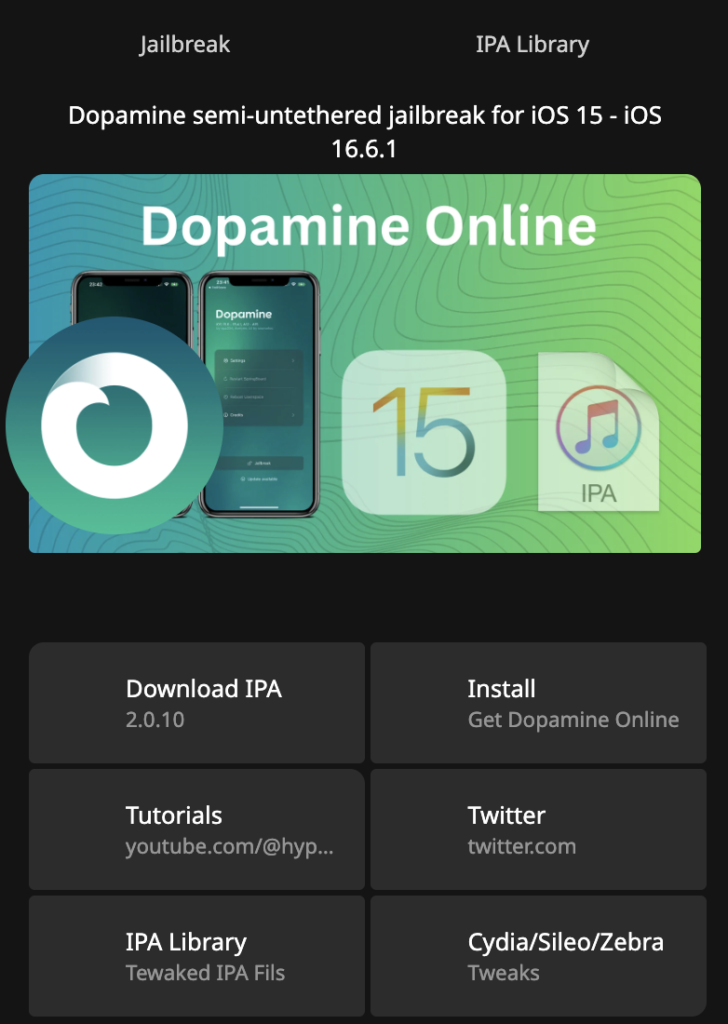
Dopa Store is one of the most famous Jailbreak Online Installer Service Providers in the Jailbreak Community. Initially, this service was limited to installing the DOpamine Jailbreak tool. Still,\ it now supports additional tools, including unc0ver, Palera1n, Chimera, Odyssey, and iOS sideloaders such as Esign, Ksign, Troll Online, and similar tools.
Step 01: Download Dopa Store – Download
Step 02: Install Dopa Store via iPhone Settings’ app > General > Device & Vpn Management > Tap Dopa Store Profile > Install > Follow on-screen instructions> Open Dopa Store via iPhone Home Screen.
Step 03: Tap the Install button (the Free Installation link may be revoked by Apple at any time). Also, if you don’t want to revoke the Dopamine app and lose the jailbreak every time, choose the VIP installation with the corresponding package (+365 days Revoke Protection).
Step 04: Once the install pop-up appears, tap on it, and the Dopamine logo will appear on your device’s Home screen.
Install Dopamine – PC Methods
If you have a PC or Mac, you can install the Dopamine Jailbreak tool directly on your iDevice without using online methods. To install the dopamine jailbreak tool, you need the following requirements:
- A PC or a MAC
- Internet Access: Both PC and iPhone
- USB lightning cable or a Type C iPhone-compatible cable(Normally, you can use your iPhone charging cable)
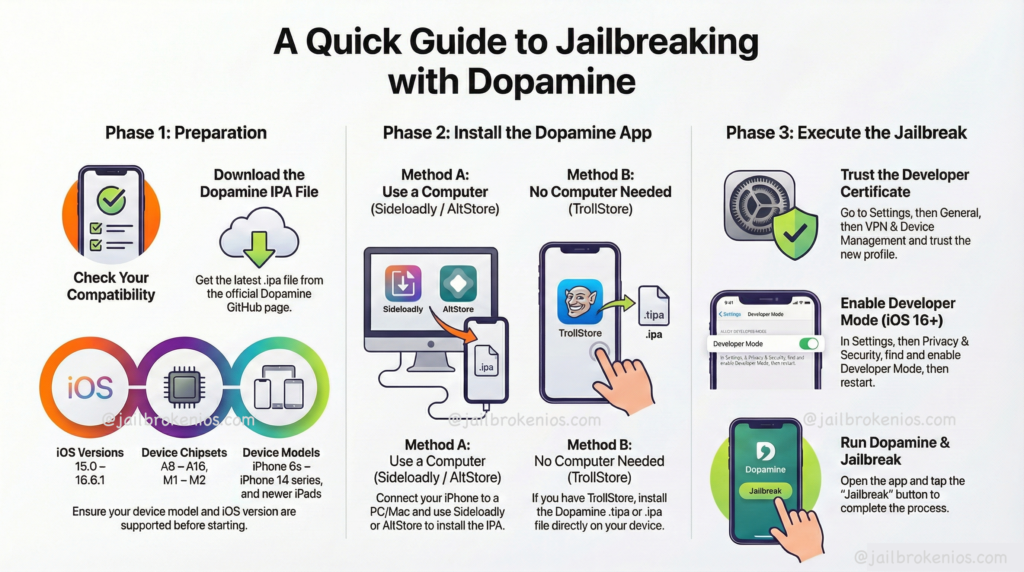
Method 01: Install Dopamine via Sideloadly
Sideloadly is a user-friendly tool that lets you install applications (IPAs) on iOS devices, Apple Silicon Macs, and Apple TV without jailbreaking. It supports both Windows and macOS, making it accessible to a wide range of users.
A notable feature of Sideloadly is its ability to hide sensitive information, which is useful for sharing logs or recording demonstrations without exposing personal data.
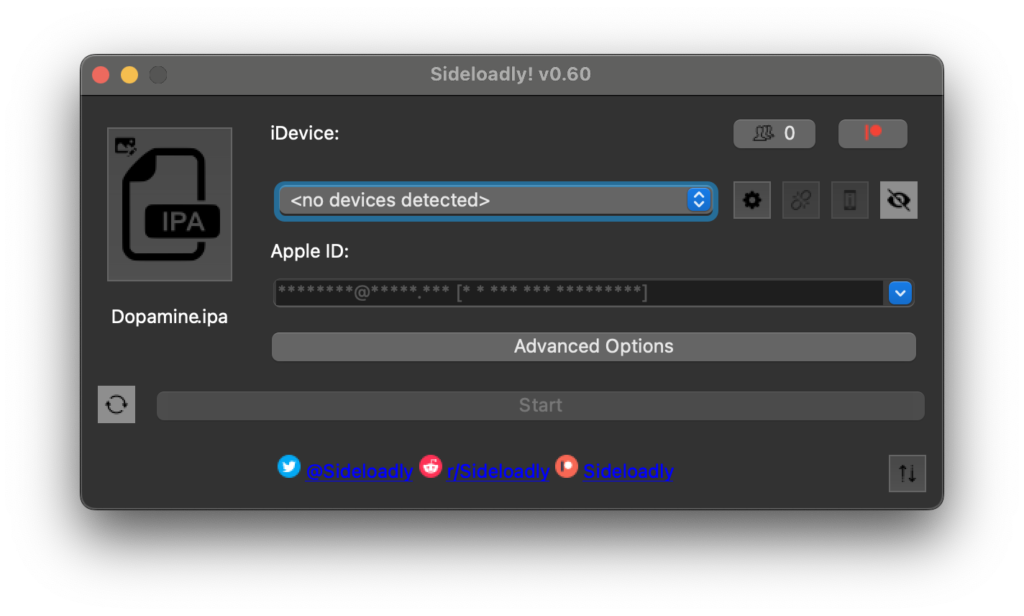
Step 01: Download, install, & Configure the sideloadly app
Step 02: Download the Dopamine Jailbreak tool IPA file.
Step 03: Open the Sideloadly tool and connect your iDevice to a PC or Mac.
Step 04: Drag & Drop Dopamine IPA file into Sideloadly Tool.
Step 05: Click the install button to begin the process.
Method 02: Install Dopamine via AltStore
AltStore is a third-party iOS app store that enables users to sideload applications. It does this by using your Apple ID to sign in and install these apps directly on your device, bypassing the standard App Store review process.
Step 01: Download and install AltStore Server (For Windows users, download and install the latest version of iTunes and iCloud directly from Apple
Step 02: Extract AltInstaller.zip and run Setup.exe.
Step 03: In the Windows taskbar search, type “AltServer,” then click “Run as administrator.” Then install AltStore
Learn More Step By Step AltStore Complete Guide
Step 04: Download the AltStore.IPA file into iPhone/iPad. Then open the installed AltStore app and import the downloaded Dopamine IPA file.
On your iOS device, go to Settings -> General -> Profiles & Device Management. Tap “Trust [Your Apple ID],” then tap “Trust” again to confirm.
![Settings -> General -> Profiles & Device Management. Tap “Trust [Your Apple ID],” then tap “Trust” again to confirm.](https://jailbrokenios.com/wp-content/uploads/2026/01/image-1.png)
Step 05: The Dopamine app will automatically install on the iDevice. Now, the user can open the Dopamine jailbreak app and continue the process.
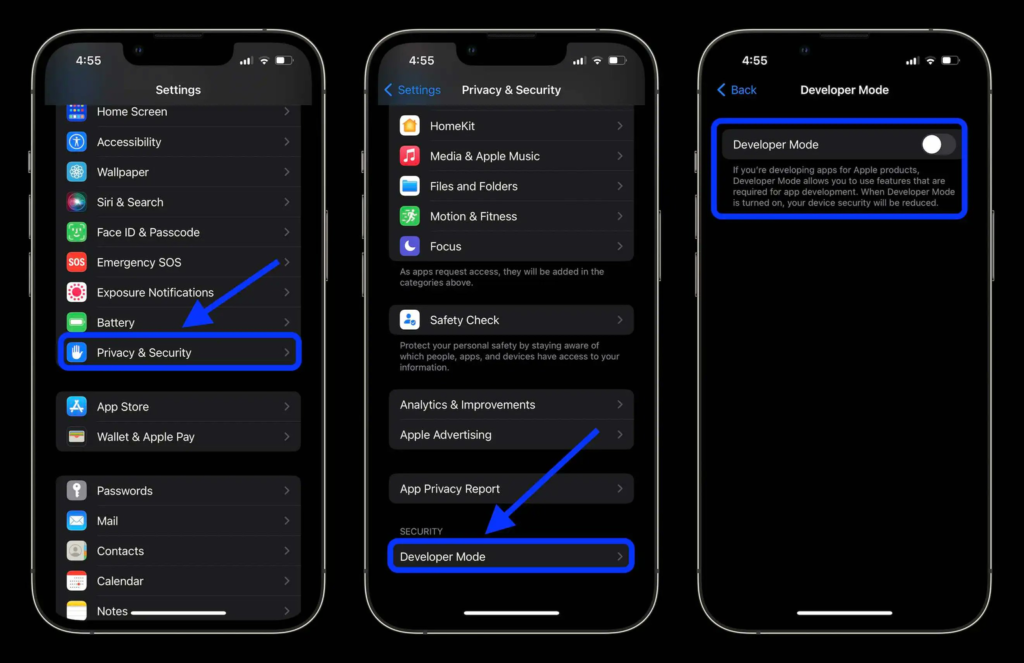
Enable Developer Mode (iOS 16+)
To use AltStore on iOS 16 or later, enable Developer Mode in Settings -> Privacy and Security -> Developer Mode.
DOPAMINE OLD UPDATES
v2.4.6 Changes.
- Add the ability to have the device display a boot logo during userspace reboots (By default, the background of the selected theme will be used; additionally, there is an option to choose a custom one)
- Fix the issue that previously broke iOS 15 arm64 support when compiling libjailbreak with compiler optimizations, and enable compiler optimizations for libjailbreak again
- Fix a page table alignment bug in pmap_map_in that would never be triggered in practice unless a developer called it themselves with addresses not aligned to L2 boundaries.
- Several optimizations have been made to make rejailbreaking / userspace rebooting slightly faster
Jailbreak Customization/Tweaks Apps – After Jailbreak
VansonMod – iOS ToolKit 2026
VansonMod: OS memory editor, iOS pointer analysis, RVA patcher, and process manager for TrollStore (jailbreak optional). Download VansonMod
Jailbreak Tweak Master – iOS Customization Tool 2026
Unlock the full potential of your iOS device with our powerful package manager. Access exclusive tweaks, themes, and modifications that aren’t available on the AppStore. Download Jailbreak Tweak Master
Leave a Reply